Bike Stamford Brook Case Study
E-commerce website design – UX UI Designer

Introduction
About
Bike Stamford Brook is a local bicycle and accessories shop based in Chiswick – London, United Kingdom. The company was founded in 2016, catering for b2b and b2c customers, selling and repairing bikes together with specializing in building custom bicycles, where only your imagination is the limit.
Responsibilities
– Quantitative & qualitative research
– UX research
– Visual design
– Interactive prototyping
– User testing
My contribution
My role in this project was as a UX designer and brand creator working in collaboration with another UX designer and the stakeholders Paulo & Andrew. My work consisted of leading the project with logo creation, user research, synthesizing data together with the supporting materials consisting of facilitating a design workshop and designing the information architecture, wireframes, and prototype.
Team size
– x2 UX Designers
– x2 Stakeholders
Step 1 Discover
Starting with a discussion with the other UX designer and stakeholders to better understand feature requirements, gather existing stakeholder knowledge, expectations and create a roadmap on plans and priorities for a product, its direction and collaborative milestones.
The problem
After the initial launch of their eCommerce website in 2016, data demonstrated a reduction in nonbias information and transaction rate. The solution was never updated and navigation did not exist.
The goal
A user-led experience that was aesthetically pleasing was required to boost the company’s transaction rate and an online presence that was easy to navigate.
A platform with fulfilling user journeys with non-bias information displayed and purchases of bicycles could be made with a few intuitive clicks.
Heuristic evaluation of the current website and findings
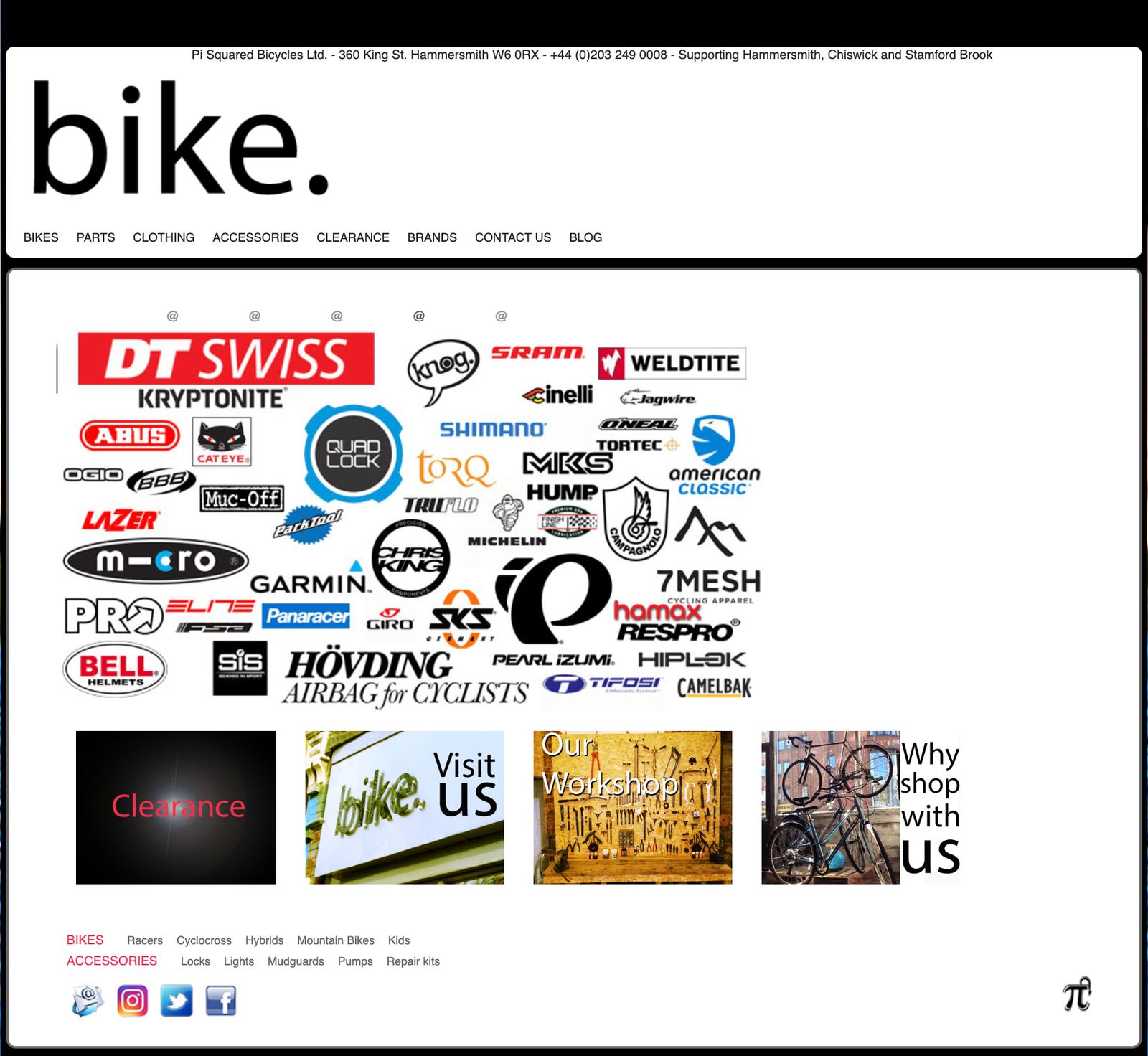
As Bike Stamford Brook already had a current online selling tool, I decided to conduct a heuristic evaluation to test whether their website was user friendly. This would help me define assumptions that I could user test.
– A system has no rollover effects or to let the user know what was being selected.
– Doesn’t reflect the working environment of the bicycle shop visited which was clean, tidy, and precision-based.
– Most pages within the website returned with a 404 error page
– None of the products were easily accessible and required users to search for products on another website. (Confusing!)
– The site didn’t speak users language, too much brand -focused marketing text.
Assumptions
– Lack of innovation from launch on their e -commerce solution could hinder any progress they would make in their business.
– Customers would feel overwhelmed and confused not to be able to find any products listed to buy in categories on their site.
– Not having much or up to date product information to research would leave users going elsewhere to make their purchases.
– A company that didn’t have an up-to-date product list can’t be trusted if they’re still open.
– Not seeing the current stock amount on the site, would waste customers time if they went to buy a product in person.
– Having a non-responsive website would limit the type of customer the website would be attracting and purchasing products.
Competitive analysis & key findings
Conducting the heuristic evaluation brought up quite a few assumptions, by analysing their product against the direct competitors we were able to determine the key differences between them and others’ user experience.
– Easy to understand filters specific to the bike industry.
– In-depth product descriptions and useful information.
– Good and bad reviews are available to read on the website.
– All showcase unique selling points with links to pages for further information.
– Each site has composite filters for a better user experience.
User research
From the initial surveys:
– 5 users that were willing to take part in the user interviews (without any incentives)
– Age range between 30-55 years old
– 4 male
– 1 female
– All were cyclists who used websites to research and purchase products
This exercise enabled us to learn more about their behaviour whilst shopping online for bicycle goods and services, what frustrations they had during their visits, and their needs whilst browsing.
User interviews
Pain points
• 5 of 5 struggle to navigate through the website and check out when they decided to make a purchase.
• 4 of 5 users felt betrayed when the website displays the item is in stock when it wasn’t on the checkout.
• 3 of 5 didn’t have any ideas about pricing or shipping costs.
• 5 of 5 participants, couldn’t find their desired products.
Key takeaways
– They want unbiased information to make a purchase, quick and fast!
– low-value items bought online only, high-value items always bought in a physical shop.
– Hard time to search and find new offers and bundle pricing.
The results gave us a good understanding of the types of people we would be designing the website for and helped us generate personas.
Step 2 Define
Personas
We created a persona each from our collective user testing results.

Martin
Mid 50’s
Works – Professional
(DIsposable income)
Location: London
Martin’s Quote
“I’m a keen cyclist and don’t mind paying a higher price for the quality of service and parts, I just want to feel I have the right amount of info and honest advice in order to make a purchase.”
About Martin
Relies on expert advice and experience.
Likes to support local shops and businesses who givehonest advice
Uses the desktop to make a purchase and only uses mobile for research.
Frustrated when shops lie about their actual stock.
Problem Statement
– Oliver needs to be able to find unbiased and honest bicycle advice to match his lifestyle choices.
– Martin needs to see an up to date stocklist to buy a bike to use on the ‘Cycle to Work Scheme.’
Open card sorting exercise
The current site didn’t have any category correlating navigation, products had to be found using the search feature which wasn’t user-friendly.
We needed help building and organising product categories and building the information architecture of over 2000 products.
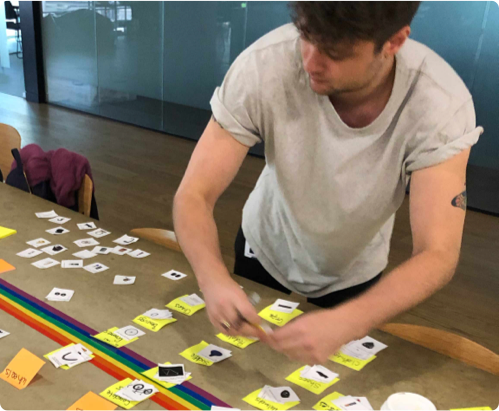
We asked users to organise categories from one hundred printed inventory product cards, into groups that make sense to them and then name each group they created in a way that they felt accurately described the products. We used an open card sort to learn how users would group the products and labels they gave each category.
– Most of the products and categories tested with users and benchmarked with competitors were correct in terms of placement, with only a handful being inconsistent.
– Users gave us only a glimpse of the main, secondary, and tertiary categories.
– All other products and categories including the filters had to be manually researched.
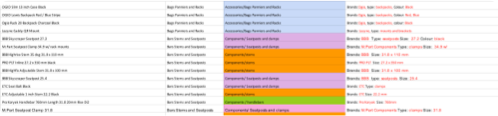
– We proceeded to implement our findings into an Excel sheet that covered all categories and filters architecture.
Information architecture – inventory results
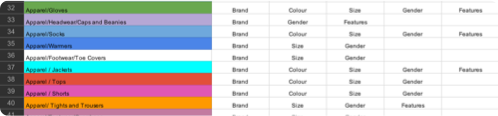
Information architecture – filter results
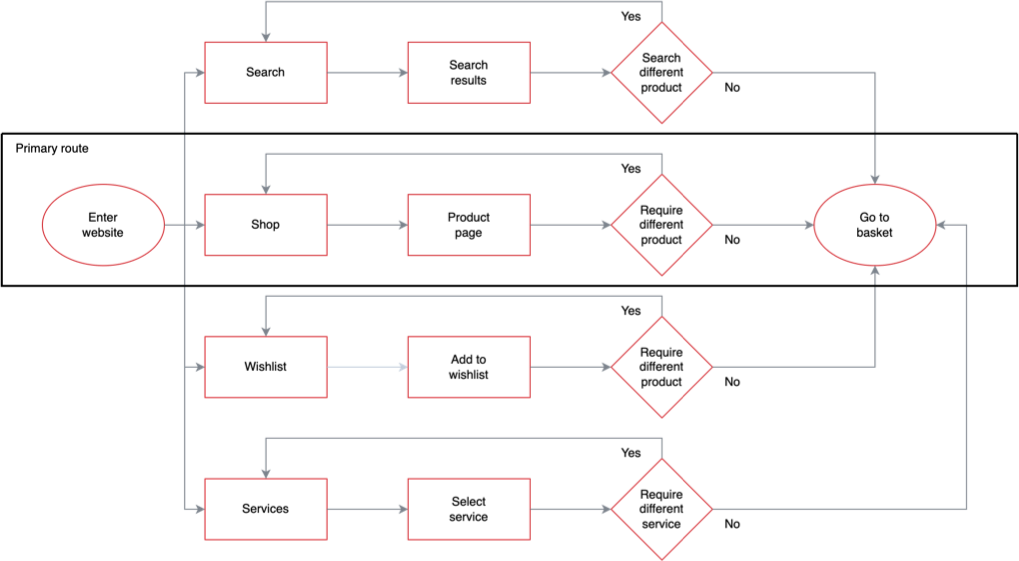
Proposed user flow
Step 3 Develop
How might we… (Design goals)
– Show enough non-biased detail on the product information and description pages to help Oliver with his purchase?
– Show up to date current stock so Martin can use the Cycle To Work Scheme?
– Help customers with measuring, prior to a bicycle purchase?
– Show your competitive advantages?
– Show filters with relevant information?
– Appeal to the personas?
Design workshop collaboration
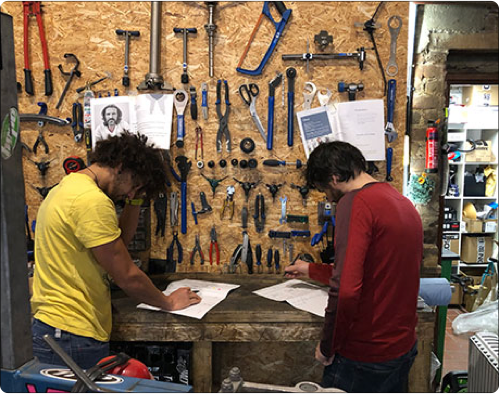
– We sketched ideas with time-boxing and came up with ideas to address the problems we had outlined in the How might we design goals, focusing on our personas Oliver and Martin.
– As a team we had some great ideas with equal votes on some designs but couldn’t decide which to use for the initial prototype, we ran A/B testing to see which designs were more intuitive.
Our assumptions based on competitor analysis of having more than 1 flow to the navigation seemed like the winning choice.
– How wrong were we!
A/B testing and validation
A/B testing of 2 homepages designs and 2 filter placements, both received an equal amount of interest during the design workshop. The usability test aims to identify any stress points from the implications of the navigation bar, filter placement and user journey.
A/B testing – Task 1 and goals
Find categories on the homepage and feedback on which page you prefer and why?
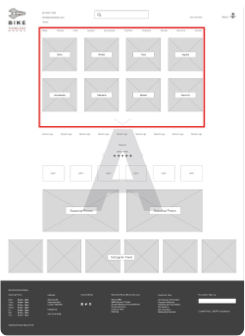
– Categories within the navbar, repeated under with thumbnails as visuals.
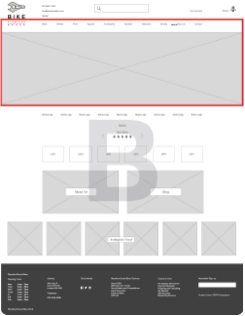
– Categories within the navbar, with a single image placement for the page.
Homepage design A
Homepage design B
Task 1 results
• 4 of 5 users preferred only having the navbar –Homepage design B, users felt the navbar together with thumbnails – Homepage design A had too much information and already understood what would be inside each category, they felt the repetition was pointless.
Our assumptions were proved incorrect.
A/B testing – Task 2 and goals
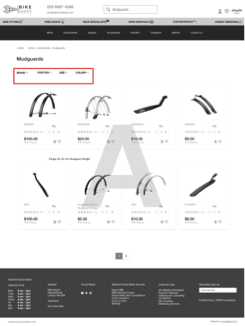
Find product filters on the page, which position seems more intuitive for you to use and why?
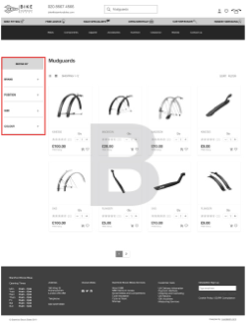
Filter position A
Filter position B
Task 2 results
Both ideas seemed great and our assumption based upon previous data suggested filters on the top would outperform filters on the side.
• 5 of 5 preferred filters on the side – Design B.
• 3 of 5 felt Design B was aesthetically pleasing and Design A – drop-down filter options weren’t intuitive.
Usability testing of high fidelity prototype
5 participants
– 3 females
– 2 males
– Age range between 30 – 55 years old
– Keen interest in cycling and purchasing goods online
Goals – Moderated user testing
Each participant was required to navigate through stimulations of the InVision eCommerce prototype website on a laptop and undergo questions at each stage to evaluate the users’ experience.
We took in turns for the role of the test moderator, to overview the research and ensure each participant was able to complete the tasks without any technical issues.
– Test product research and concept design with the target audience.
– Reveal friction points & confusing experiences.
– Identify any bugs & usability issues with the product.
Usability questions – Tasks & scenarios
Kinesis Fend off Mudguards – in black colour
Can you show me how you would search for the product and go through the checkout process?
– Can you show me how you would find another pair of mudguards by not using the search bar at the top?
Your product references: Brand: BBB, rear mudguard in black colour
– You would like to read more information about this particular product, can you show me how you would do it?
– You would like to find out more about the shipping cost for this product. Can you show me how you do it? What info did you find?
– There is a Kinesis product on your wishlist and you don’t wish to have it displayed anymore. Can you show me how you remove it from the wishlist section?
– Can you show me how you would find out more about Bike Stamford Brook services?
– You would like to visit the shop and contact them. Can you show me how you find the necessary information and how would you communicate?
– Can you find the categories:
– Pedals
– Gloves
– Mountain bikes
– Cleaning product to clean your bike
Post test questions
On scale: 1 -5? 1 – Excellent, 2 – Good, 3 – Okay, 4 – Poor, 5 – Awful
– What did you like most about this website today?
– What was the toughest part of this test?
– Would you like to use this website in the future?
– Are there any tips or recommendations you have for me?
Step 4 Deliver – final version
What I learned
• I learned running a design workshop with enough fun exercises helped relived the nerves of stakeholders, drawing in time boxing and presenting ideas became fun before we got into solving problems.
• I learned how important communication skills were during the project with stakeholders and the other designer, driving meetings and reassuring we’re not stepping on each other’s toes.
Challenges and adapting
The biggest challenge was developing the information and filter architecture, with a list of more than 2000 products. This was achieved through a card sorting exercise with users, although there were many products that didn’t fall into the researched categories, we had to analyse and research; looking at trends of 5 competitors; aligning the focus on the freedom to explore products; the categories, subcategories and filters.
The result was an extensive, user-generated spreadsheet that was iterated and handed to the data entry department to create the inventory on the back-end system.
What I would do differently next time
I would ask for incentives to help with all the user research, as only a few users wanted to give up their precious time for free, which wasn’t fair. This resulted in cancelled sessions and continuously looking for new users to help us shape the product.