Creating reusable, accessible download patterns and a footer for Shelter.
Research-led download patterns and a website footer for Shelter’s new design system, shaped through interaction design and cross-functional collaboration.
- UX research
- Interaction design
- Design systems
- Accessibility
- Logo

- Organisation
- Shelter
- My ownership
- Research and design for two workstreams
- Workstreams
- Download patterns · Website footer (England and Scotland)
- Status
- Approved and live
A new foundation, built to be reused.
Shelter was building a new design system to address inconsistencies across its components, patterns and digital experiences. The aim was a consistent foundation the organisation could reuse and build on as requirements evolved.
Other designers owned other areas of the initiative. I led the research and design for two workstreams: four reusable download patterns, and the Shelter England and Scotland website footer. I took each from an audit of the existing experience to approved, documented patterns.
My two workstreams
- Download patternsA clear, repeatable way to offer downloadable content across factsheets, reports, school resources and impact reports.
- Website footer, England and ScotlandA clearer hierarchy for social links, legal information and fundraising accreditation, adapted for smaller screens.
Starting with what already existed.
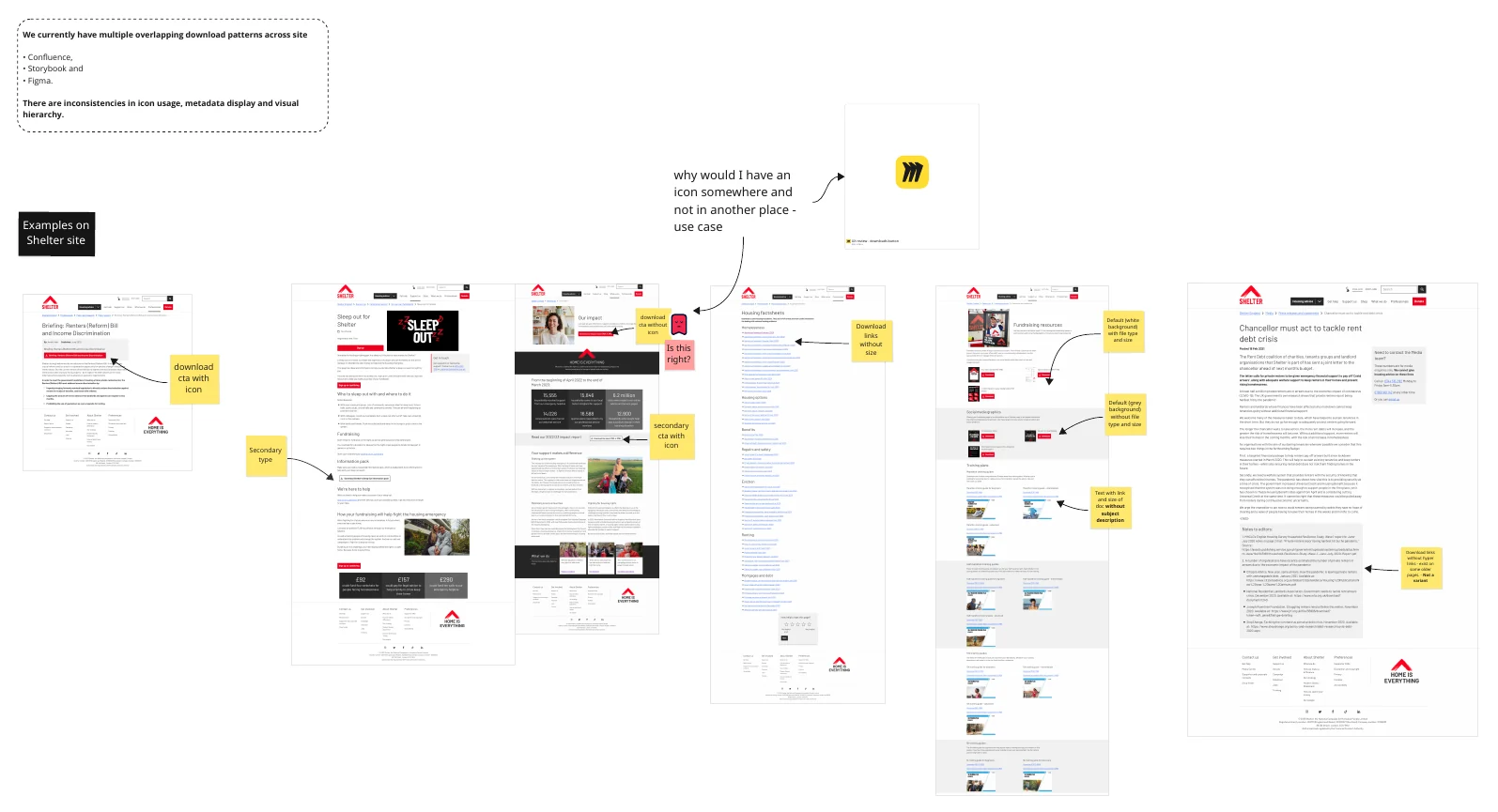
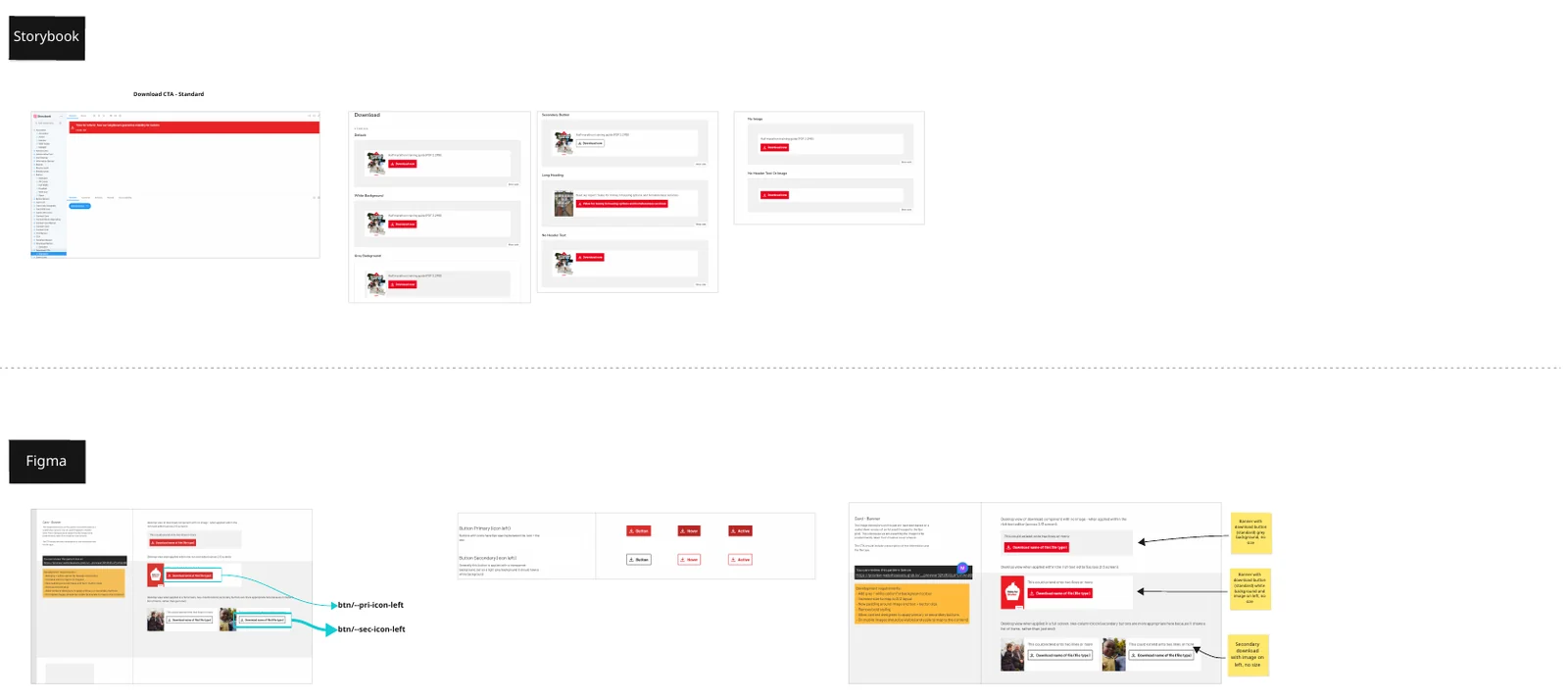
I audited the download components documented in Confluence, Storybook and Figma against what the live site actually used, including workarounds such as hero buttons and text links. Existing components varied in presentation, hierarchy and supporting information, while different download contexts needed distinct patterns.
What the audit showed
- Visual consistency: icon use varied between pages.
- Information hierarchy: file details sat differently alongside each download action.
- Link integrity: some download links weren’t correctly linked.
- Reuse: one component could not serve every download context.
So whatThe answer was a small, clearly differentiated set of patterns, not one component expected to cover every situation.
Accessibility from the outset
Guidance from three sources shaped the direction from the start rather than serving as a final check, focusing on:
- RNIB
- W3C WAI
- GOV.UK
- Clear link differentiation
- Descriptive link text
- Sufficient colour contrast
- Visible keyboard focus and interaction states
Validated beyond design. I tested the conclusions with the Principal Developer working on the design-system backend, who helped identify technical gaps and dependencies, and with a Senior Content Designer, who validated the research. A wider session with the Lead UX Designer, Content Designers and UX/UI Designers then challenged the assumptions.
Four patterns, one clear hierarchy.
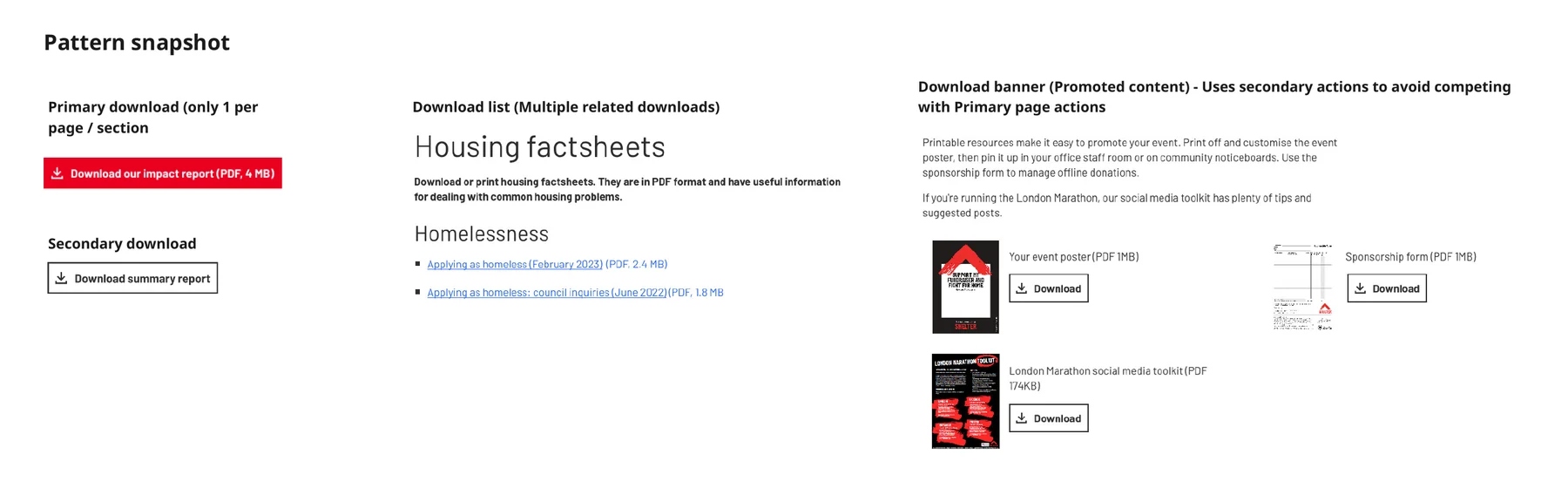
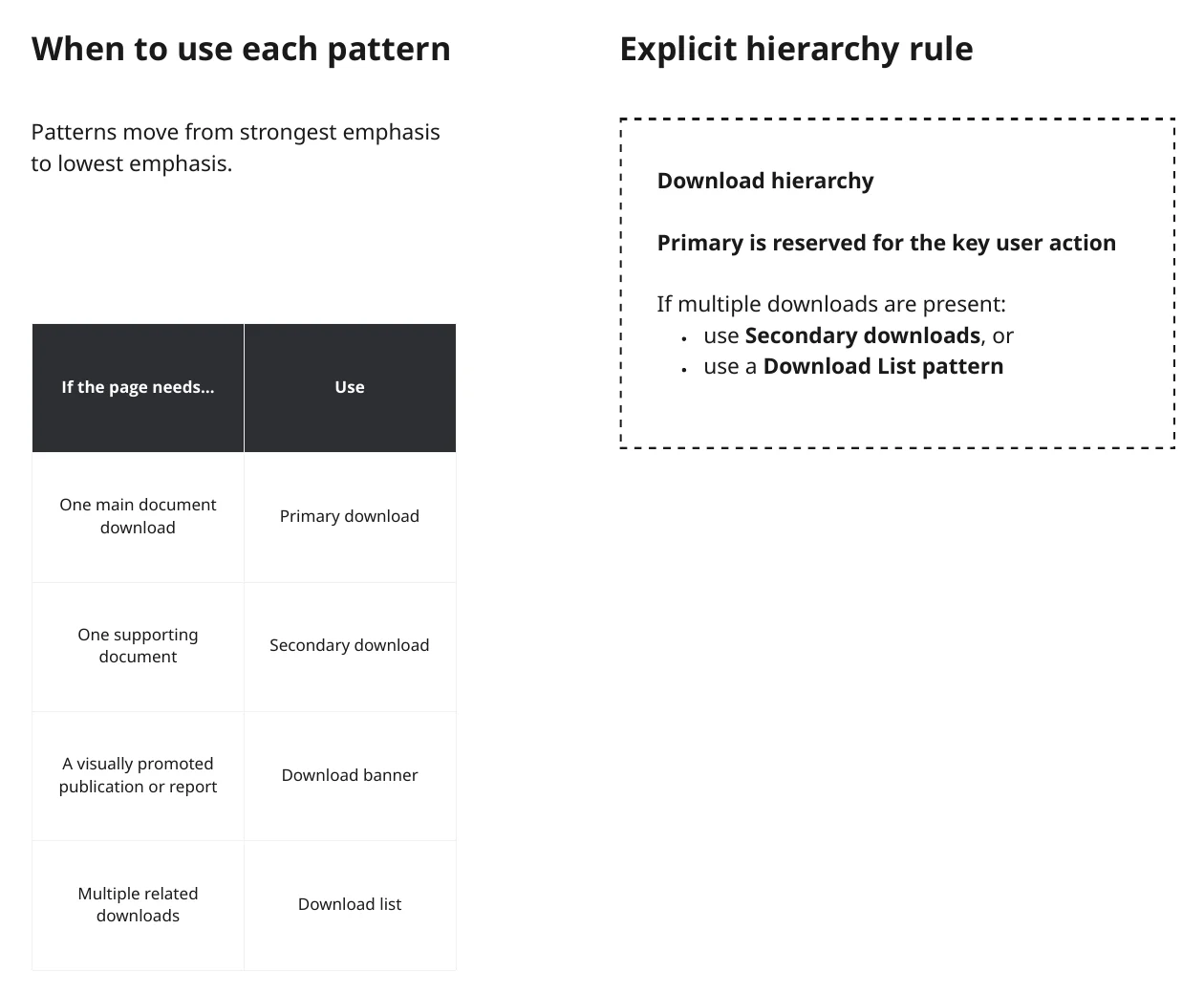
Grouping the audited examples by purpose and hierarchy, rather than appearance alone, consolidated them into four patterns. Each has a defined role, so users can tell the main action from supporting content.
- 01Primary downloadThe main document on a page
- 02Secondary downloadA supporting document
- 03Download bannerA visually promoted publication
- 04Download listMultiple related documents
Decisions behind the patterns
- Primary is reserved for the key user action. When several downloads appear, they use Secondary downloads or a Download list.
- One download icon, applied consistently across every pattern, referencing WCAG 3.2.4 Consistent Identification.
- Descriptive document titles instead of generic labels like “Download now”, with file type and size to set expectations before the action.
- No new variations without design-system review, so workarounds don’t reappear.
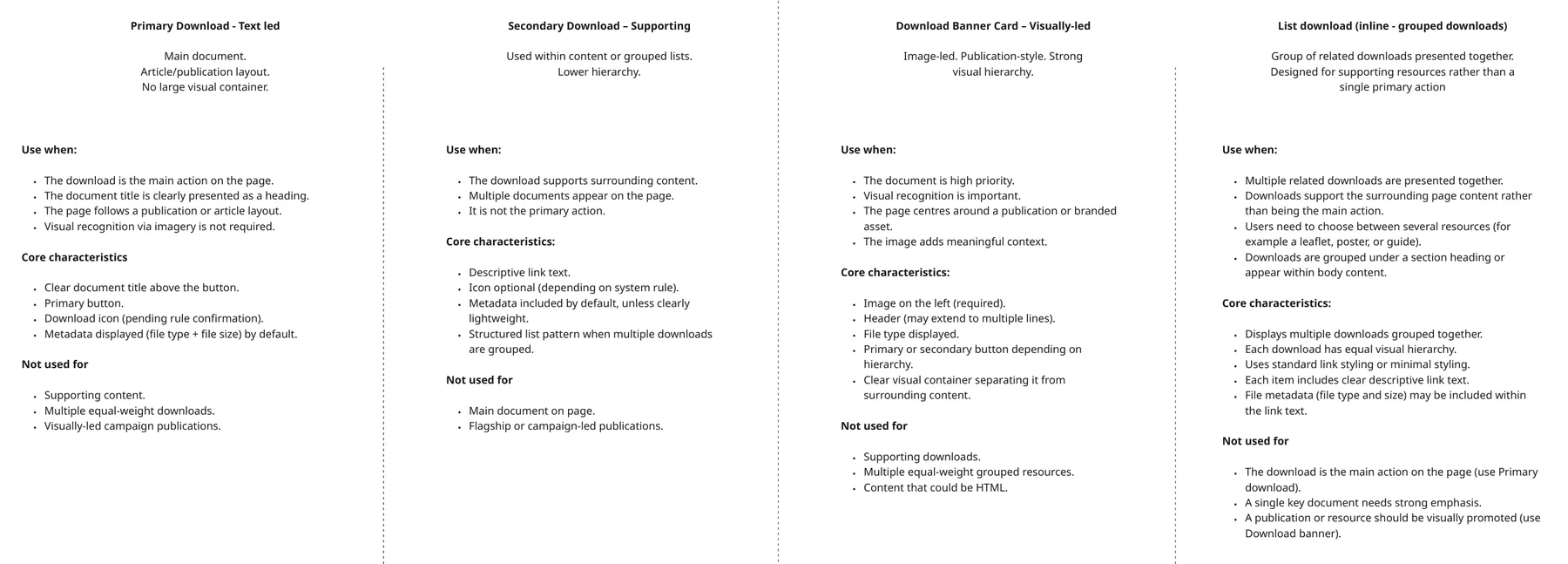
With the Principal Developer, I checked how the patterns would fit the existing technical structure, identified implementation dependencies and separated what was needed now from what could follow during migration.
- Asset metadata was already available through a
GraphQLfragment but wasn’t shown to users. The existingformatFileSizeutility could automate file size, with a file-type equivalent needed for readable labels. - The
LinkListcomponent had no download mode, raising whether to extend it or give the Download list its own component. - Download links embedded in rich text didn’t fit the four structured patterns, so they were kept distinct and scoped separately rather than forced into one component.
Clearer roles for every part of the footer.
Shared across the England and Scotland websites, the footer needed social links, legal information and fundraising accreditation to be easy to scan and clearly separated.
- Labelled social links instead of icon-only links, making destinations explicit
- A divider separating the social section from legal information
- Left-aligned legal text for a more consistent presentation
- Fundraising Regulator badge placement reviewed within the layout
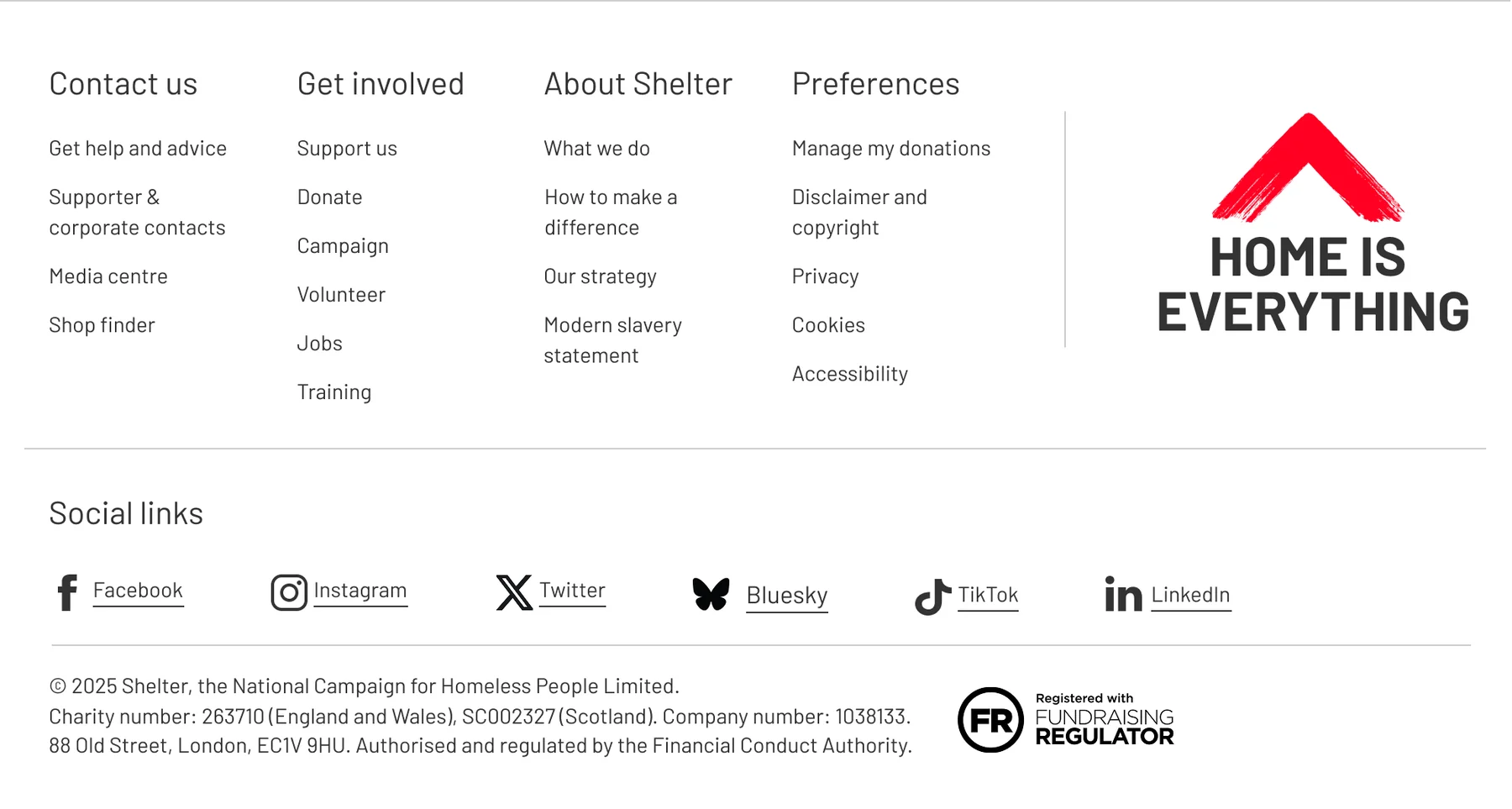
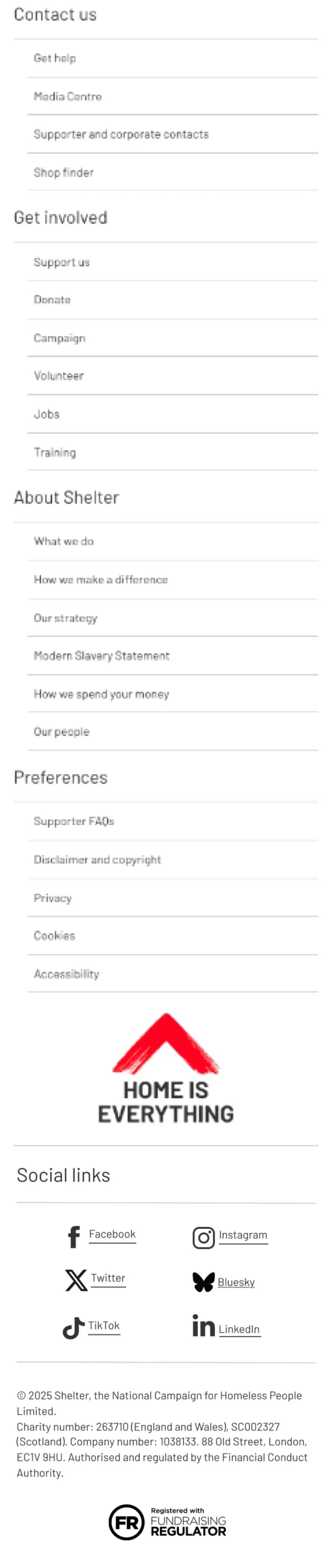
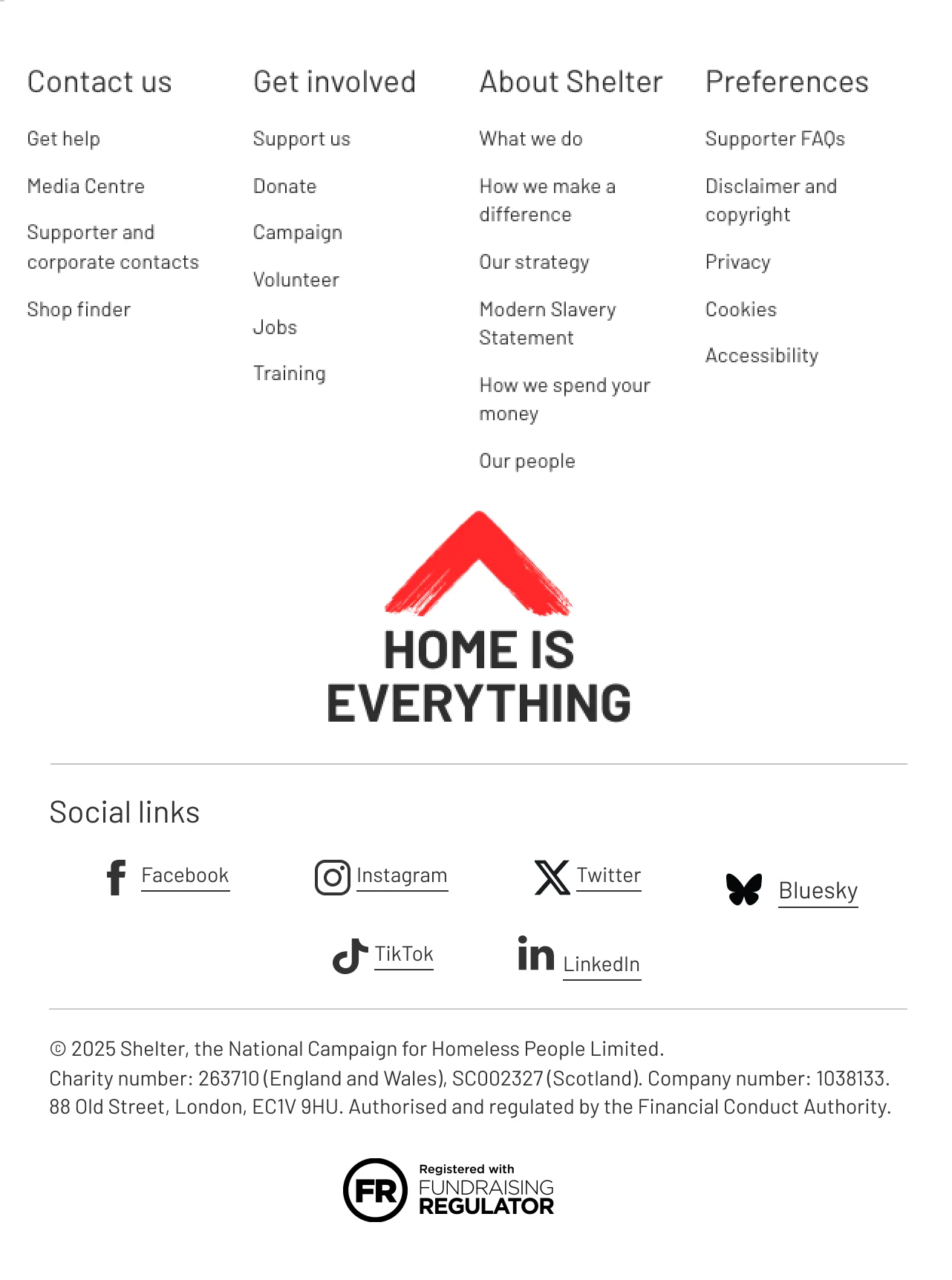
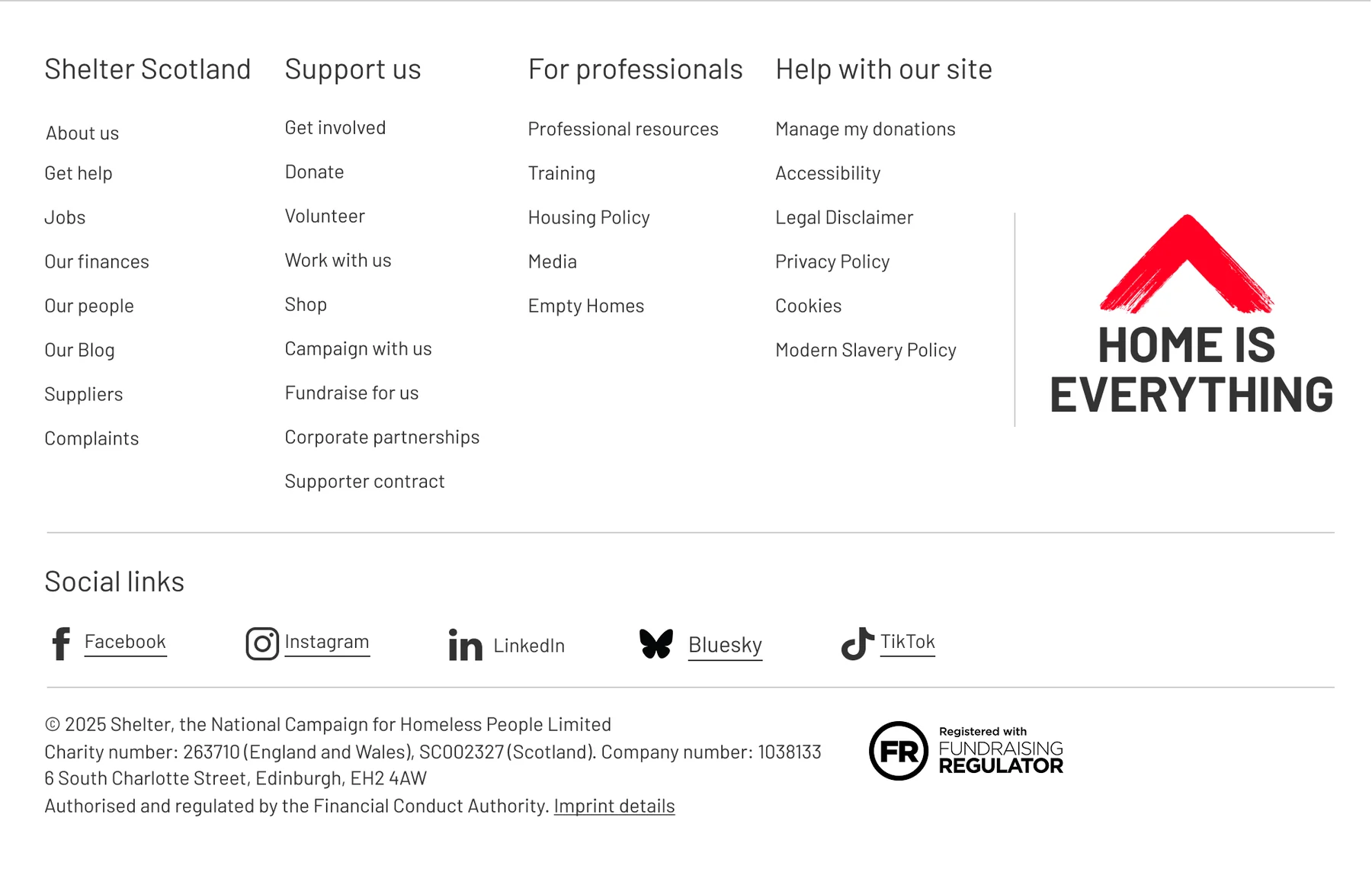
Deliverables covered the England footer at desktop, tablet and 360px mobile, plus the Scotland desktop footer, reviewed and refined with the Head of Social Media and Engagement, Senior Content Designers and my Lead.
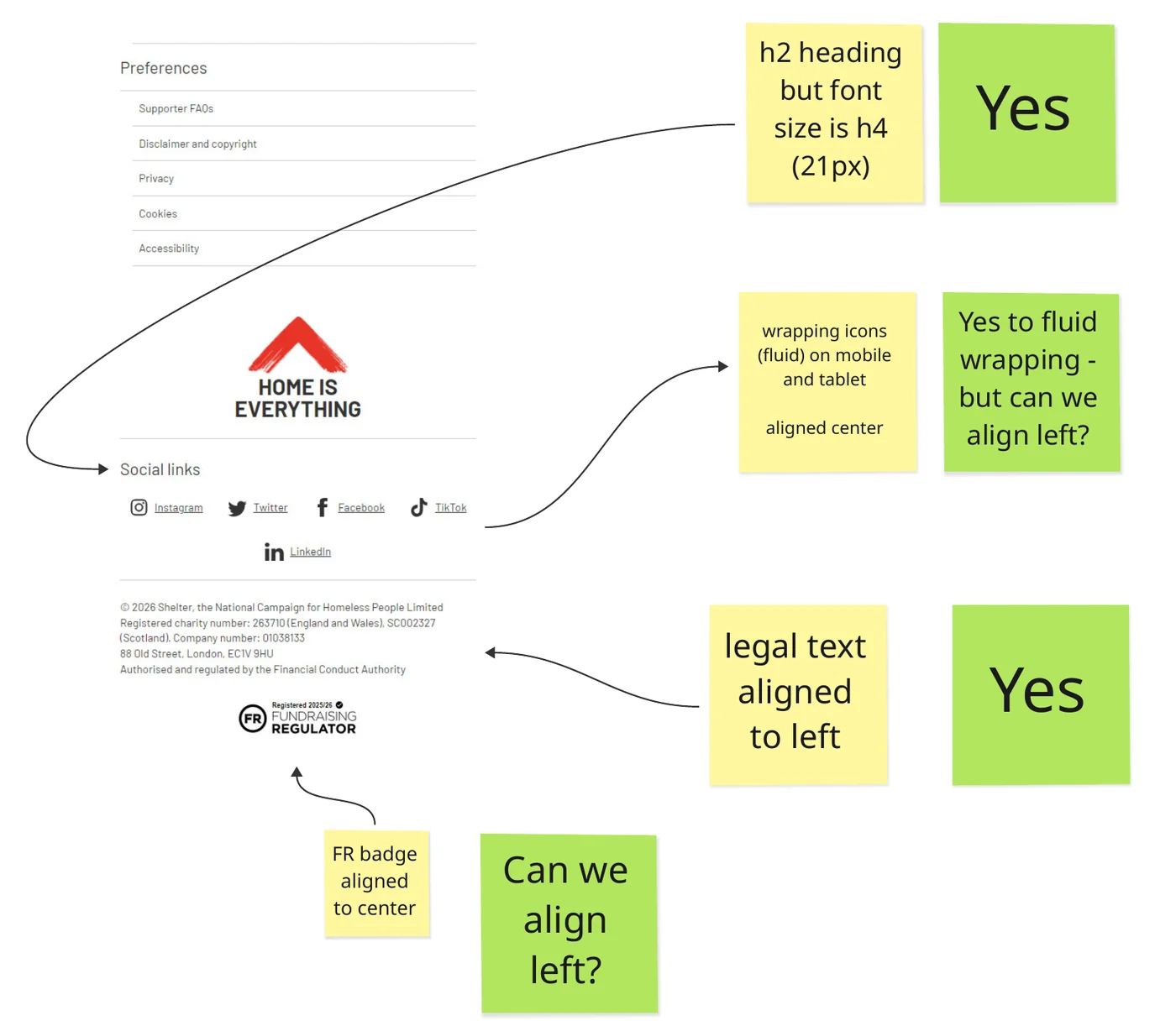
Making the reasoning visible.
I documented the research findings, design decisions and technical considerations so the patterns could be implemented and reused without the reasoning being lost.
- Downloads: Research and design documentation in Miro and Markdown, supported by the Figma UI kit.
- Footer: A dedicated UX-to-development handover documenting the agreed decisions.
I also presented the work to the wider UX department to explain the rationale and gather feedback.
Approved, and now live.
Both workstreams were approved and are live, adding reusable patterns to Shelter’s new design system.
- Four download patternsPrimary download, Secondary download, Download banner and Download list, each with usage rules, accessibility guidance and technical considerations.Approved and live
- England and Scotland footerA clearer hierarchy for social links, legal information and fundraising accreditation across desktop, tablet and 360px mobile.Approved and live
Let’s make something work better.
Available for senior UX and interaction design opportunities. See how I work.