Funeral Print Service Case Study

Information website design – UX UI Designer
Introduction

About


Funeral Print Service is an established print service based in London operating for over 30 years. The company wanted to branch out to funeral printing products such as faith and non-faith printing materials for loved one’s send-offs.

Responsibilities


–   Quantitative & qualitative research
–   UX research
–   Visual design
–   Interactive prototyping
–   User testing
–   Working alongside development

My contribution


I was hired as the lead UX designer on the team to work closely with the stakeholders – Sunil & Hansa (UK), and the development team (Canada). My work consisted of the research, synthesis, designing and prototyping main product as well as working on support materials, such as facilitating workshops and designing features of the platform

Team size


–   x1 end to end UX Designer: Me
–   x2 Stakeholders: UK Based
–   x1 Copywriter: UK Based
–   x4 Developers: Canada Based

Step 1 Discover

I started with a team discussion to better understand business requirements, gather existing stakeholder knowledge, expectations and create roadmap on plans and priorities for a product, its direction and key milestones.

The problems

– No online presence and only showing previous work and taking orders from customers in their studio through referrals from funeral directors slowed their process with lots of paperwork while some faiths had tight funeral arrangements.

Their own research was undertaken by a 3rd party and the results showed automation and selling online would speed up their process.

• For me, this presented many challenges as it would take away the personal approach to selling their services using sympathy and empathy.

• Budget already spent for research.

The goal

The decision was made, I would undertake the user research for free, validating what their users really wanted, needed and were frustrated about whilst finding funeral printing for their loved-ones send-offs. To create a fully functional mobile-first website design that provided fulfilling user experiences and maybe even set the benchmark in the Funeral Industry.

Competitive analysis

During the initial team discussion, by asking stakeholders about their industry I was able to find useful information about their direct competitors, I learned the ins and outs of how the competition works and identify potential opportunities where we could out-perform them.
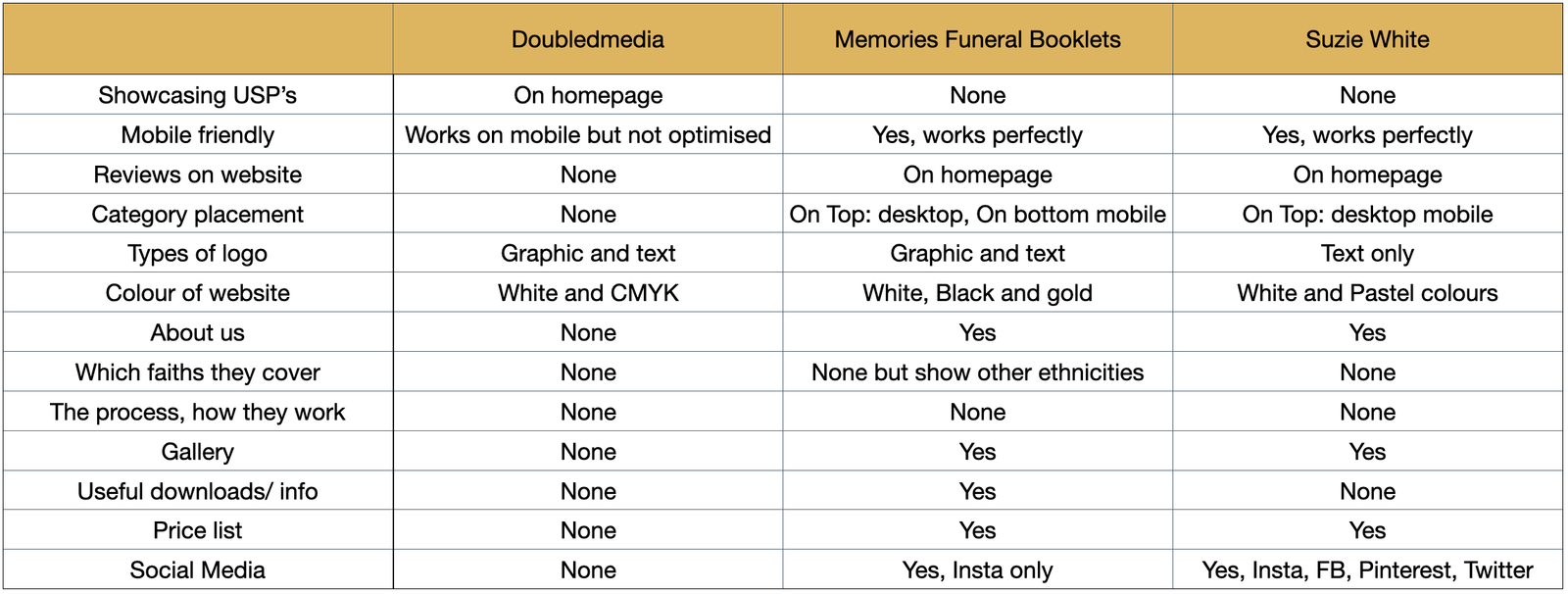
Competitive analysis – Key findings & assumptions

•    1 of 3 show their USP’s on the homepage
•    2 of 3 only non-reputable reviews on the website
•    2 of 3 have a mobile-first design
•    0 of 3 catered for specific faiths
Looking at their competitive analysis I needed to understand first-hand experiences by users.

–   Knowing the competitive landscape and our technical limitations, how can we design an equally inspiring shopping experience?

–   Previous customer reviews are important, does it matter if written via third-party applications like Trust Pilot or similar, will that persuade the purchase decision?

–   How important is mobile optimisation, is this where the site will be viewed the most?

–   Was it important to have which faiths are catered for on the website, why is that?

Identifying users wants, needs and behaviours

To better understand funeral services I questioned their users, from their preferred system, behaviours and habits whilst browsing online for these services, to learn about this topic. Some of the questions are below.

–   Can you tell me about the last time you shopped or searched printing for a funeral or similar services?

–   Where did you go online and could you explain to me your journey and experience?

–   Can you think of any frustrations you might have experienced in the past when shopping online for these services?

–   On what devices did you shop or browse when searching for funeral services? (i.e. computer, mobile, tablet)?

–   What factors were important when you shopped or enquired about funeral printing needs?

–   How important do you feel it is when a company provides a process of how they will work, given the task on hand of such a delicate subject?

–   Based on your faith, how would you expect the category to be shown on the website, please explain?

–   Can you explain where was the best experience you had during online shopping or making inquiries during your search for funeral services? And Why?

Step 2 Define

Affinity map and key findings

By synthesising the user interviews, I was able to gather qualitative information about the users and group their answers by categories, this helped me create one actionable visual.
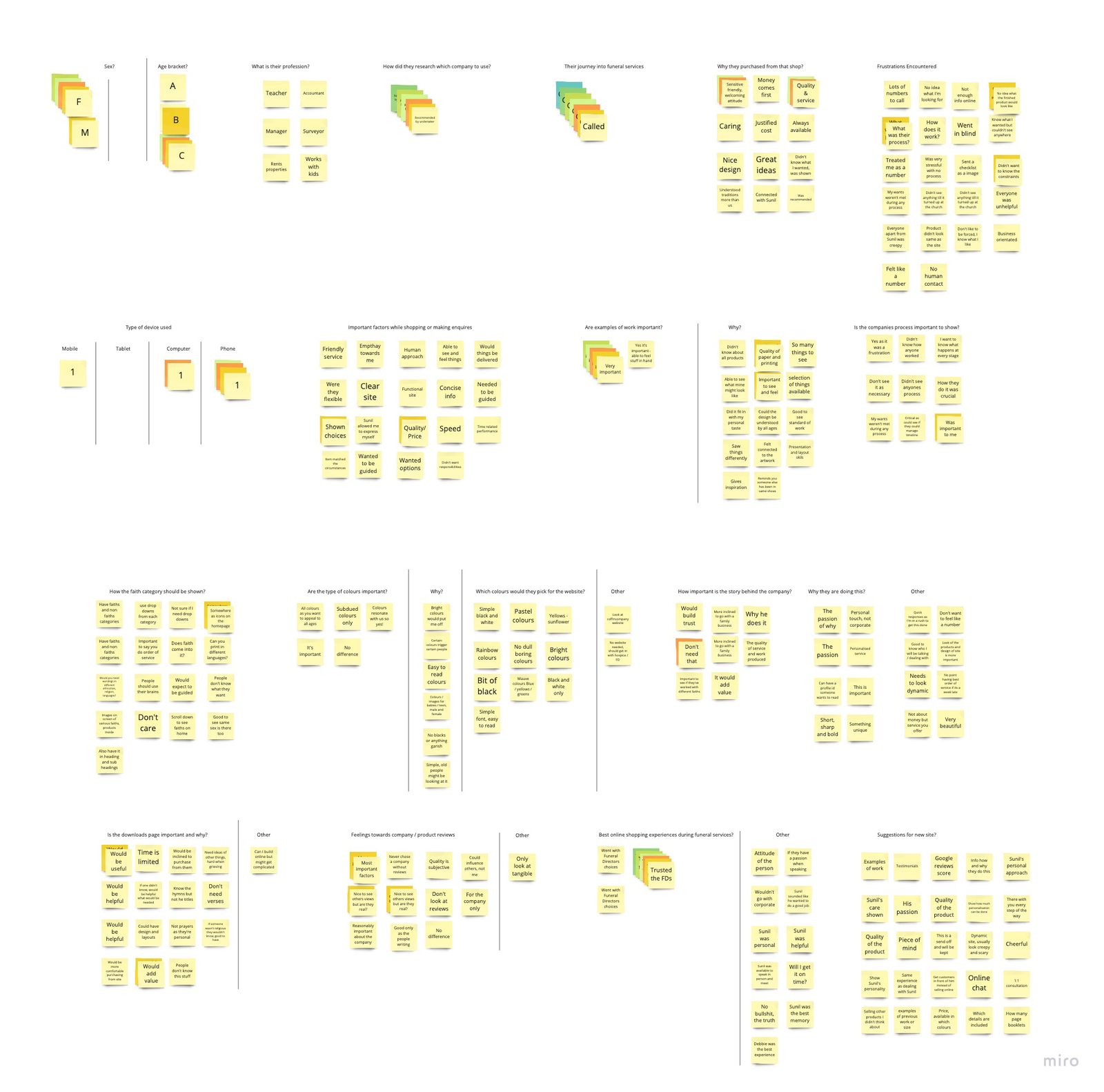
•    4 of 5 need human contact, do not like corporate selling during this hard and emotional time.
•    5 of 5 had lots going on including sad emotions and needed to be guided.
•    3 of 5 people revealed a callback feature would be an advantage, being able to arrange a face to face meeting at a time suitable for them.
•  4 of 5 felt frustrated when the delivered product didn’t match the images shown on the screen.
•    3 of 5 had a 3-day turn around time based on their faith, worried the order of service wouldn’t be delivered on time and did they cater for their faith.

Personas

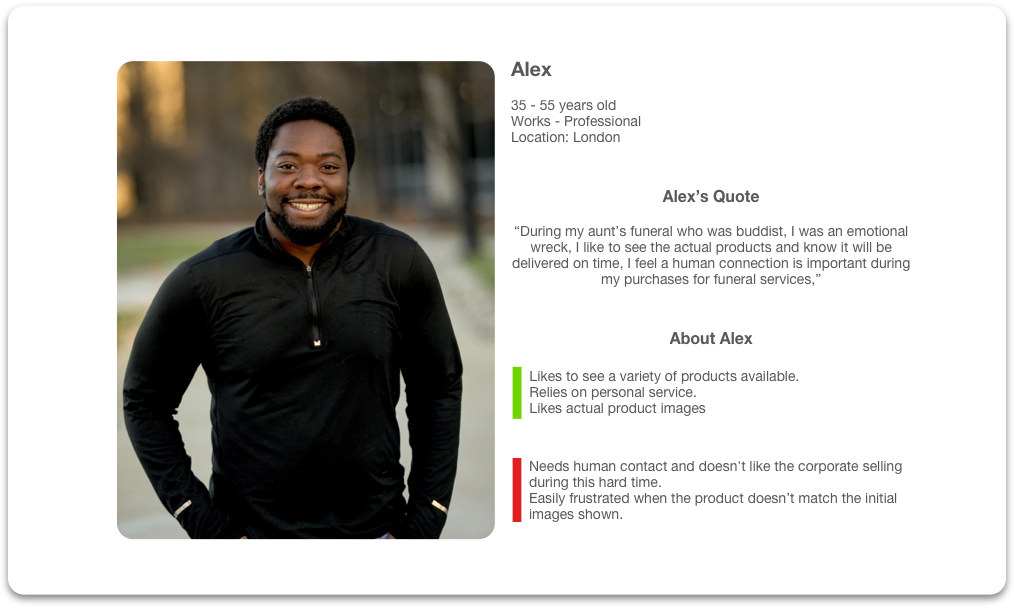
Alex

35-55 years old
Works – Professional
Location: London


Alex’s quote

“During my aunt’s funeral who was buddist, I was an emotional wreck, I like to see the actual products and know it will be delivered on time, I feel a human connection is important during my purchases for funeral services,”

About Alex
Likes to see a variety of products available.
Relies on personal service.
Likes actual product images


Needs human contact and doesn’t like the corporate selling during this hard time.
Easily frustrated when the product doesn’t match the initial images shown.

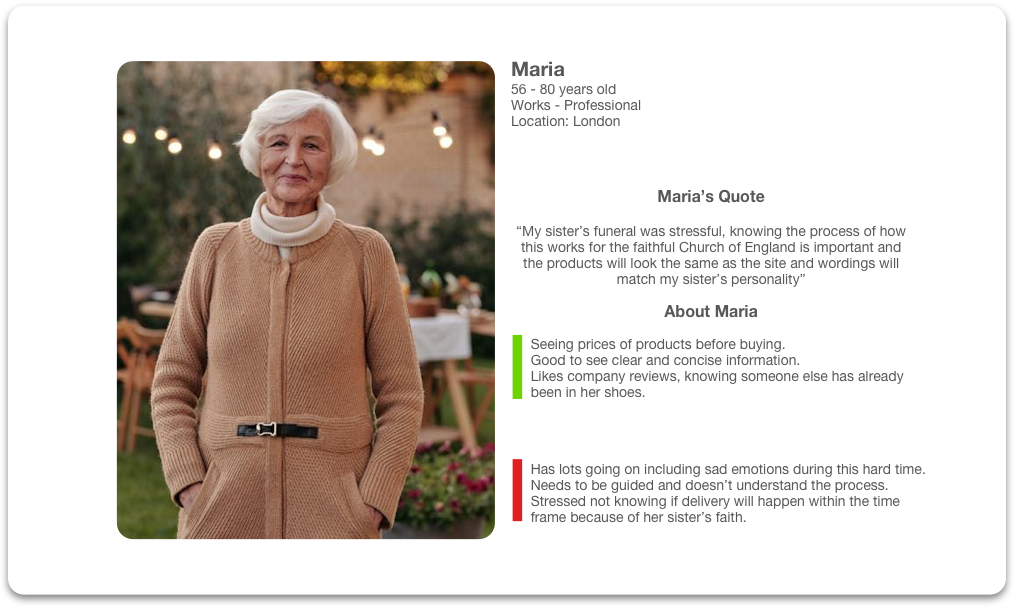
Maria

56-80 years old
Works – Professional
Location: London


Maria’s quote

“My sister’s funeral was stressful, knowing the process of how this works for the faithful Church of England is important and the products will look the same as the site and wordings will match my sister’s personality”

About Maria
Seeing prices of products before buying.
Good to see clear and concise information.
Likes company reviews, knowing someone else has already been in her shoes.


Has lots going on including sad emotions during this hard time. Needs to be guided and doesn’t understand the process.
Stressed not knowing if delivery will happen within the time frame because of her sister’s faith.

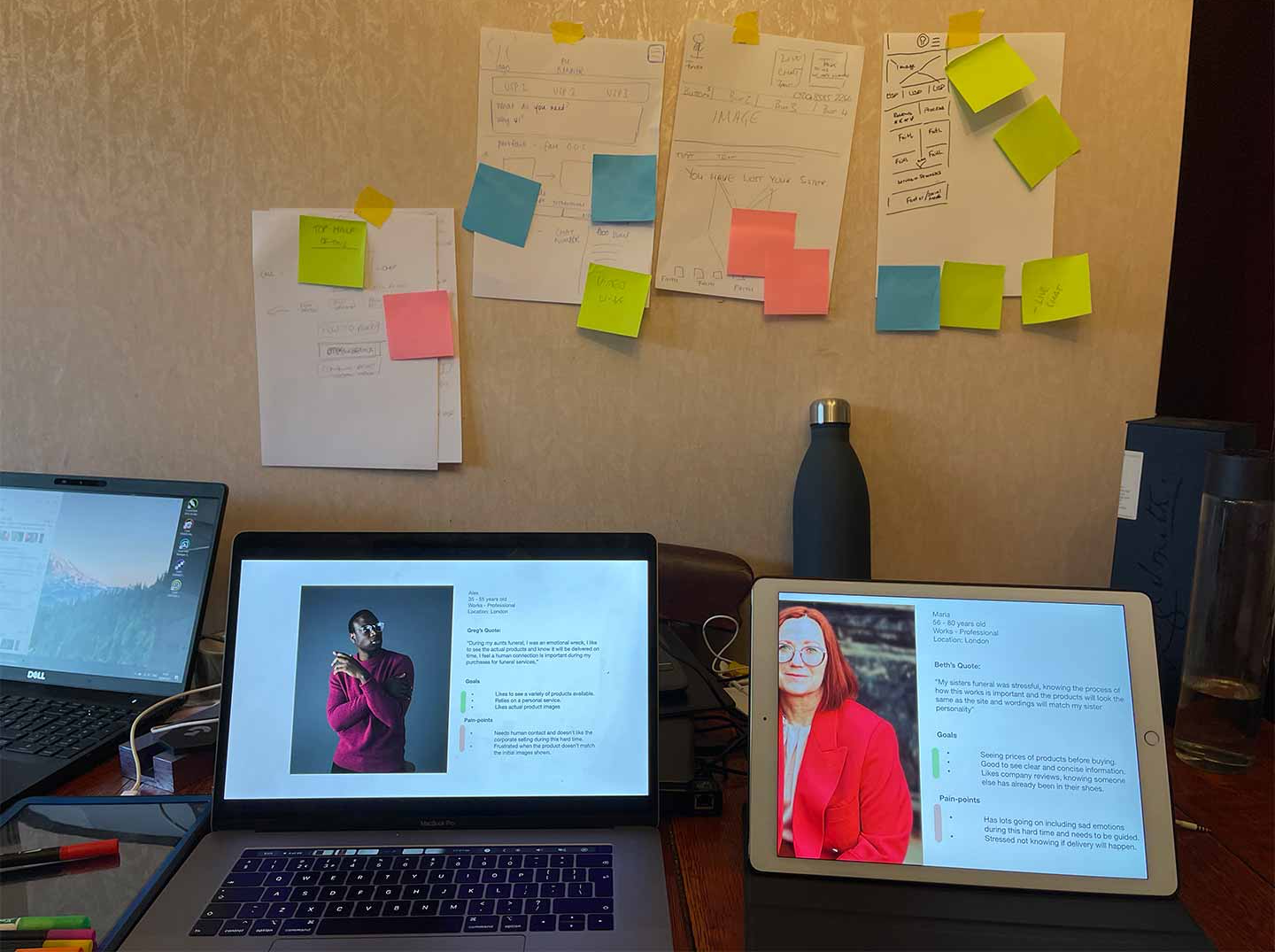
I focused on 2 personas from the user interviews, each with its own characteristics that enabled me to know whom I am designing this product for.

Alex’s age range between 35-55, professional in London, his aunt was Buddhist and required the funeral products in 3 days.
Relies on personal service
Frustrations include: Needs human contact and does not like corporate selling during this emotional time.
Alex’s Quote

“During my aunt’s funeral who was buddist, I was an emotional wreck, I like to see the actual products and know they will be delivered on time, I feel a human connection is important during my purchases for funeral services,”

And then there’s Maria

56 – 80 years old, near the end of her professional life and also lives in London, her sister’s faith was the Church of England

Likes real company reviews, knowing someone else has been in the same situation as her and can relate to the experience.
Frustrations include: Needs to be guided as doesn’t understand the funeral print process.
Maria’s Quote

“My sister’s funeral was stressful, knowing the process of how this works for the faithful Church of England is important and the products will look the same as the site and wordings will match my sister’s personality”

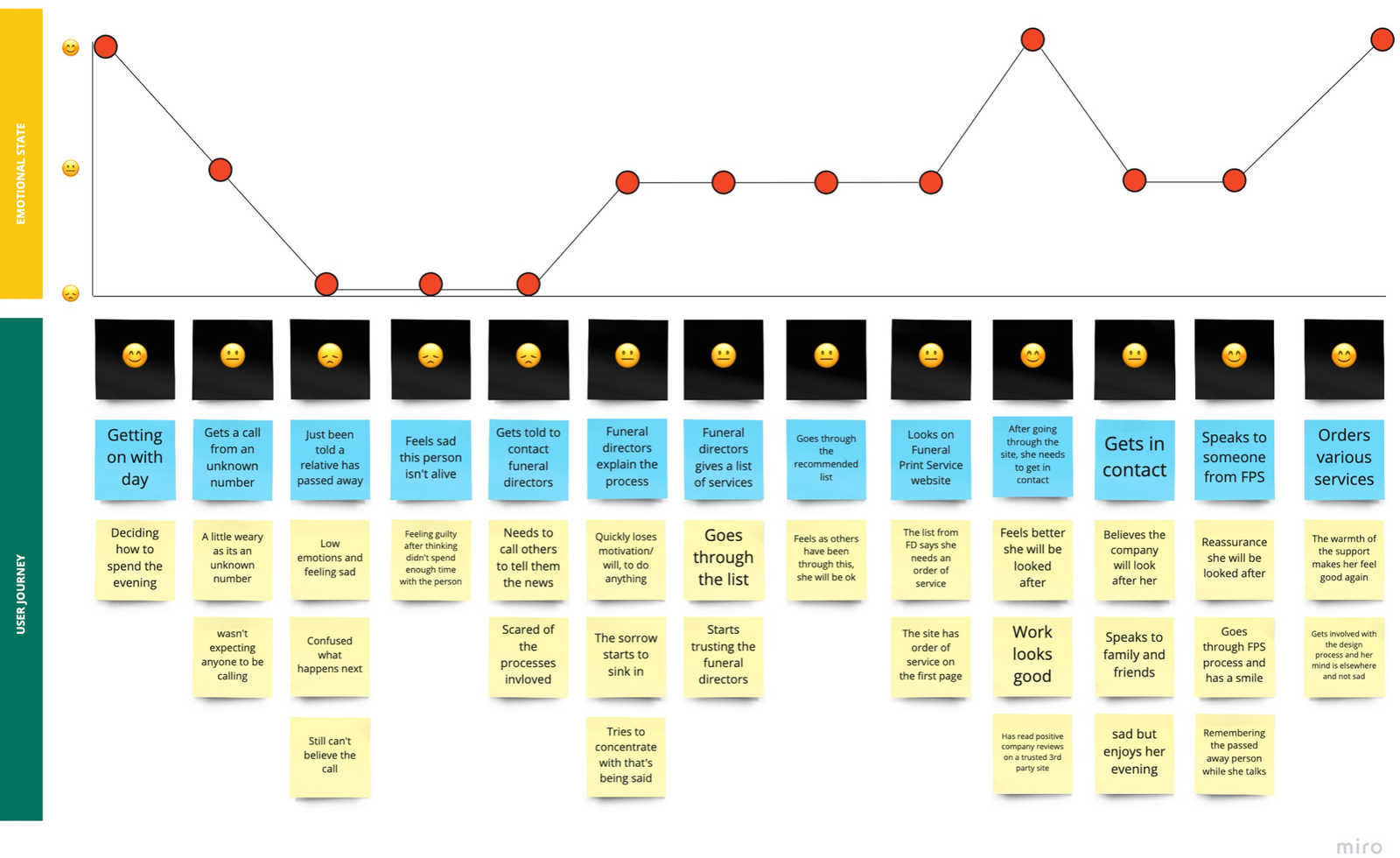
User journey- experience map

I created the experience map to help me see the bigger picture of users’ journey to further understand their needs and pain points. It made collaboration between myself, development, and stakeholders easier, effective, and focused throughout this process.

Experience map explained

–   Alex & Maria getting on with life.

–   Both not expecting a call, especially from an unknown number, both feel hesitant to answer.

–   Alex & Maria are feeling emotional, just been told someone close has passed away.

–   Been told to organise a funeral if they want, not sure of the process.

–   Funeral directors explain what happens and give a list of companies to contact.

–   Alex & Maria looks at the funeral printing website as a showroom and understands the process.

–   Both likes what is available and seen so far, feels good will be looked after, arranges a day/time to speak with Funeral Print Service.

–   Alex & Maria speak to Sunil from the printing company, feeling reassured everything will be fine, gets a full explanation of the process and a date/ time to come in.
Empathy and sympathy from the staff make Alex & Maria feel supported, they get involved with the story, design, and purchase products.

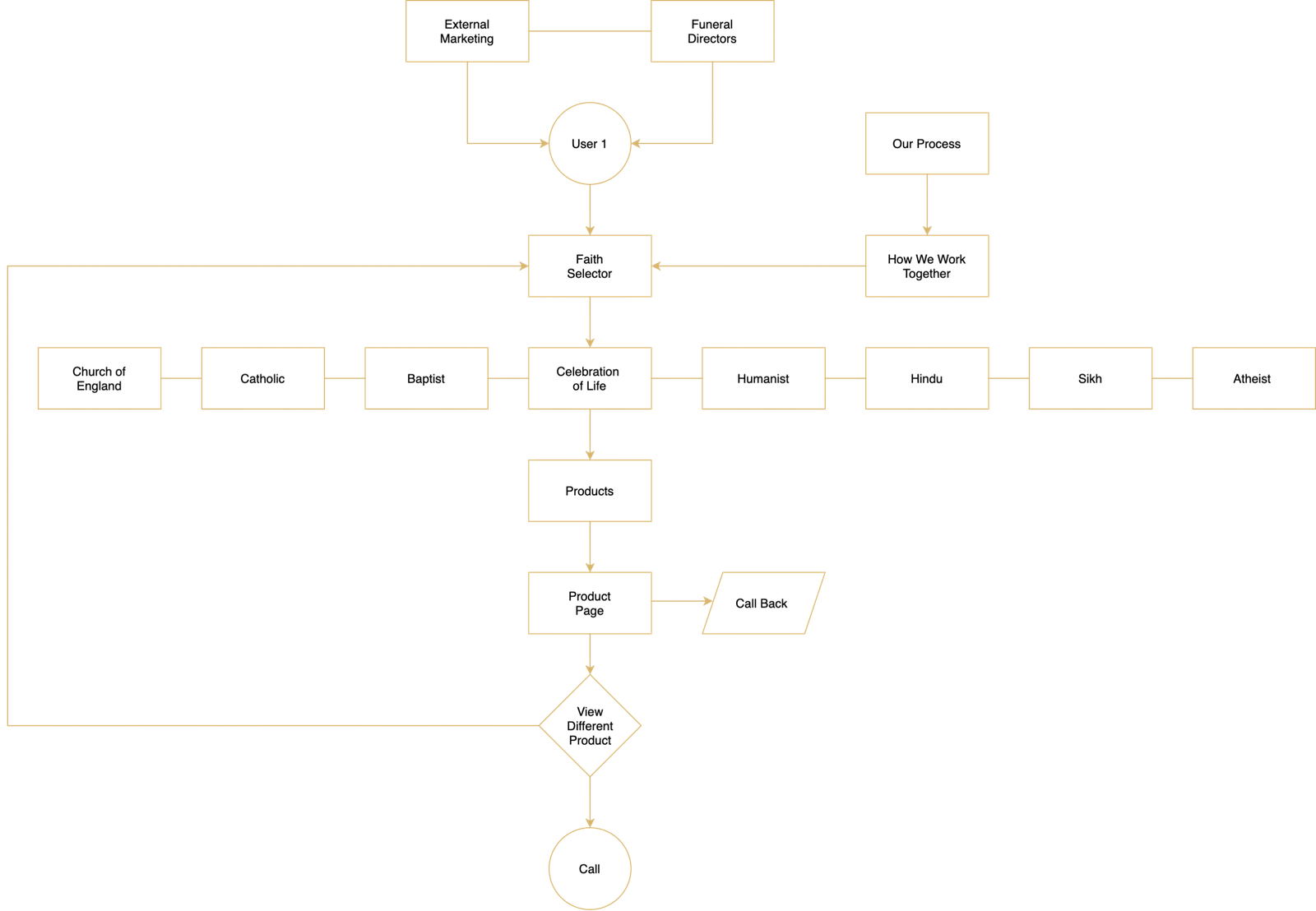
Proposed user flow

Alex & Maria will be influenced by several variables including seeing faiths, reviews of the company, how we work, and the process linking directly to a call or arranging a callback through an intuitive form for a face to face meeting, where staff will be able to support, show sympathy and sell their services.
Step 3 Develop

How might we’s… (Design goals)

–   Show Funeral Print Service empathy and staff’s personalities to the website and enhance the caring and supporting feel?

–   Show enough details on the product page whilst keeping it simple?

–   Show the quality and feel of the products on the website? – Helping Alex & Maria with understanding what they see is what they get?

–   Display a detailed process of ‘how we work’ with each product/service and when it will be delivered and how?

How to:

–   Show the Unique Selling Points (USPs) of the business?

–   Successfully show company TrustPilot reviews?

–   Get team members to arrange a meeting with Alex & Maria so they can come in and talk about their wants and needs?

–   Appeal to a diverse demographic including faiths and cultures?

To help with the facilitation of the design workshop

I presented key findings, Personas together with Scenarios and Tasks, this assisted us in understanding who we are designing for and the situation Alex & Maria would be in. Collaboratively, we rapidly generated and discussed a wide set of ideas.

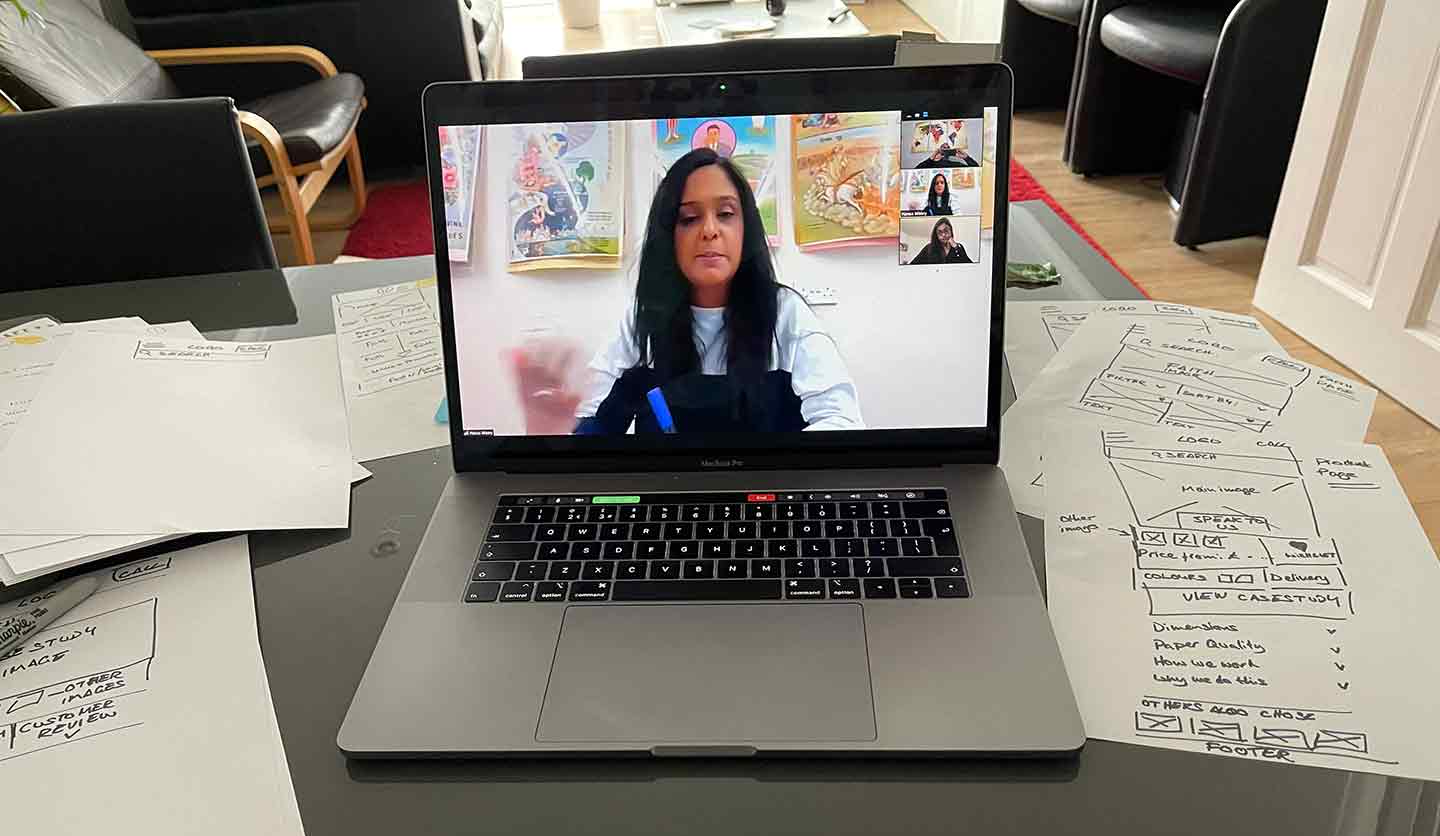
Facilitating design workshop

–   Solving problems for the mobile-first design
–   Exploring proposed user flow
–   Used ‘how might we’ design goals
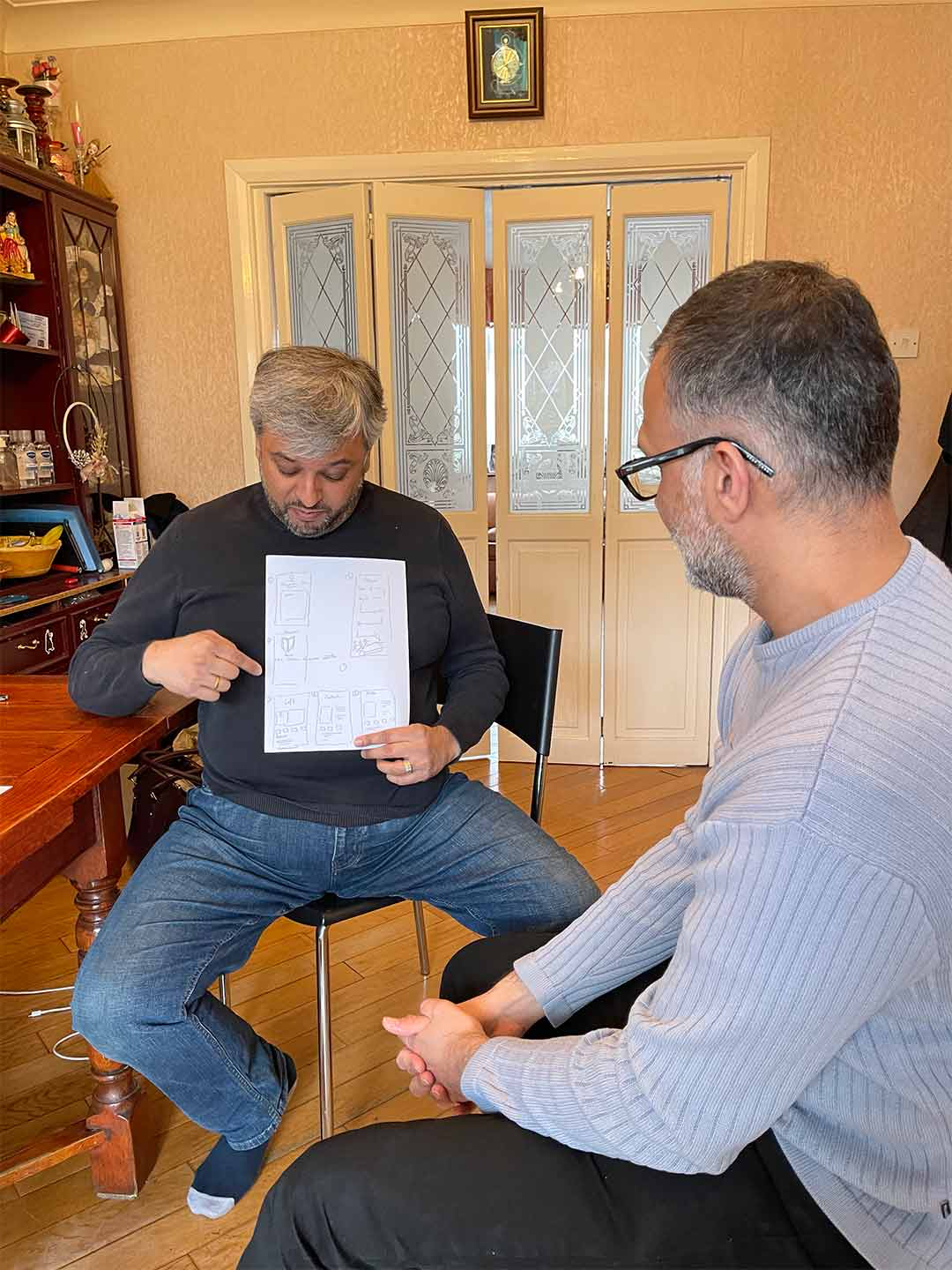
–   Fun stakeholder collaboration, sketching ideas.
–   Presented sketches to each other.
–   Using colours post-its voted for the best ideas.

Design workshop sketches

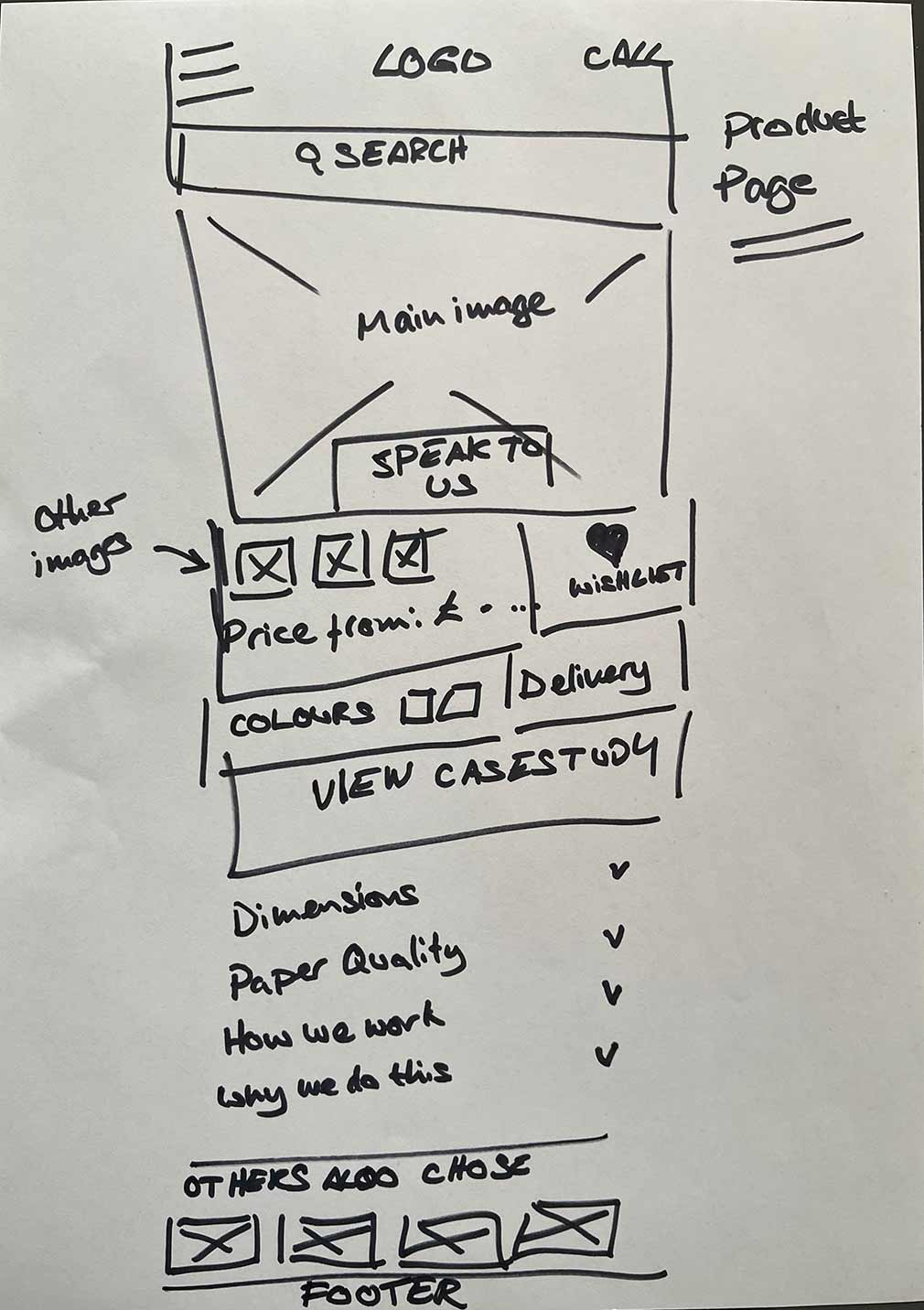
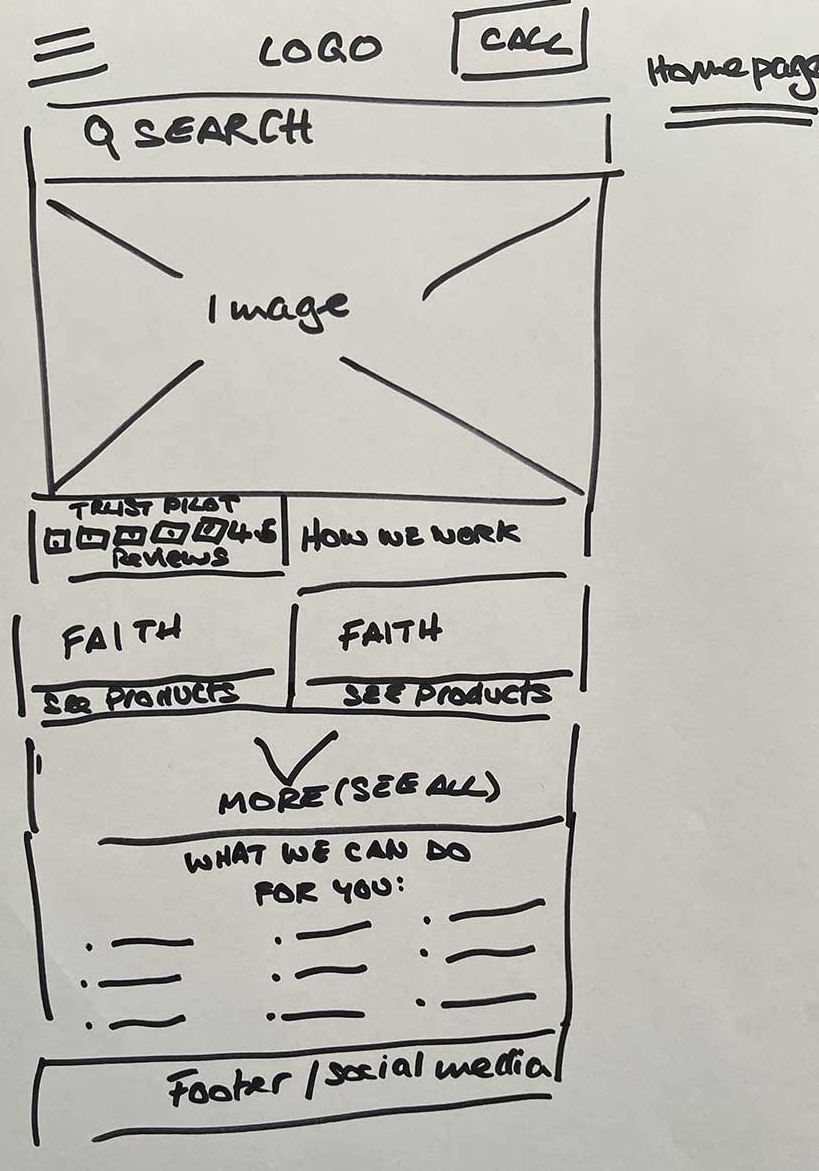
From the ideation session, below are the sketches which won the most votes for the features and functionality of the product and homepage. The other pages would follow the same design and structure.

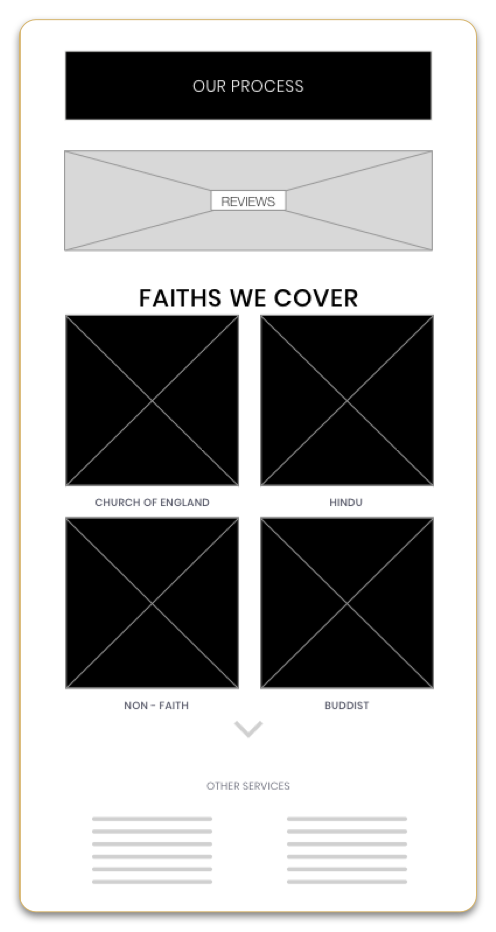
Wireframes & validation: Mid fidelity – MVP (homepage)

Mid fidelity

5

MVP

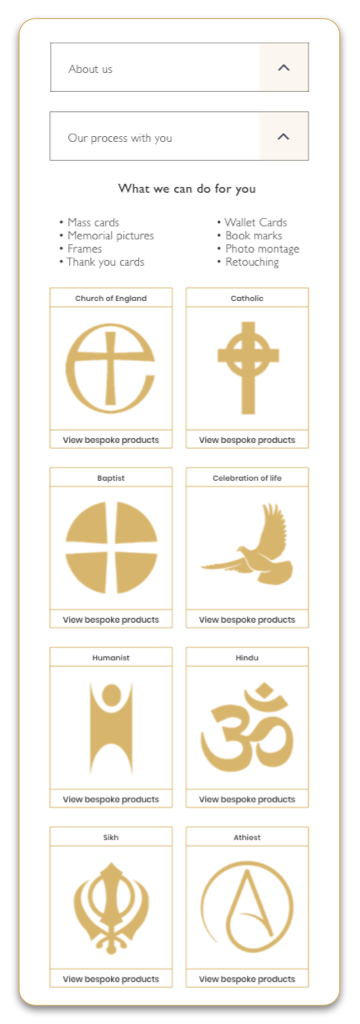
– Users understood this was a showroom website of funeral printing products and they could not buy anything but view products based on the person’s faith who had passed away.

| 3 of 5 felt there weren’t enough faith options to cater for all faiths, they missed the expand arrow.

| 3 of 5 needed a quick glance at all the products/ services available early on and couldn’t find the list at the bottom.

| 4 of 5 wanted to know the story behind the company ‘about us’ if they were a local family business and not a corporate company before understanding their process of how they worked.

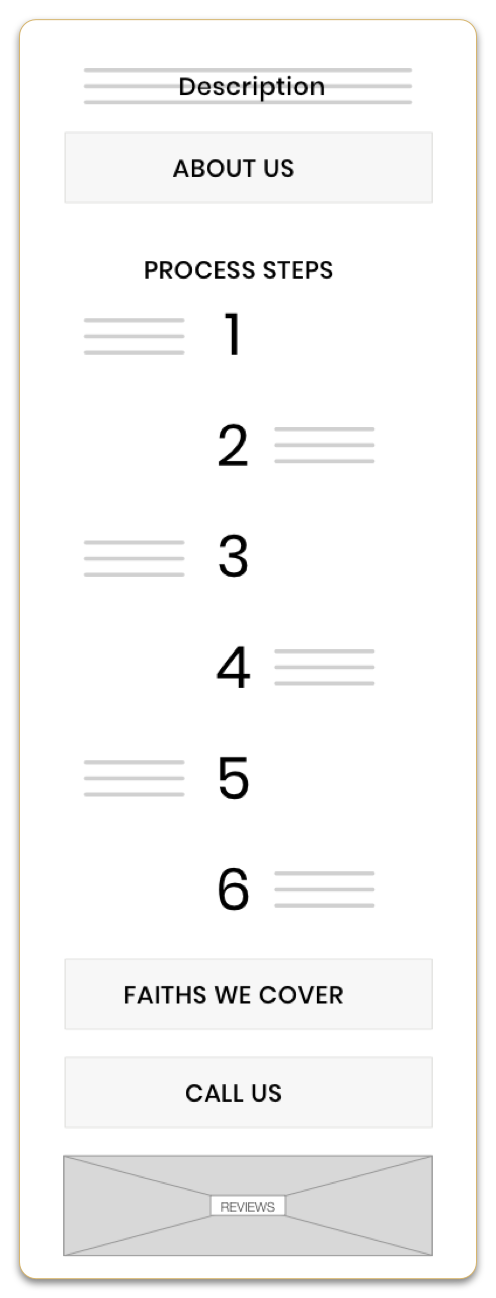
Wireframes & validation: Mid fidelity – MVP (process page)

Mid fidelity

5

MVP

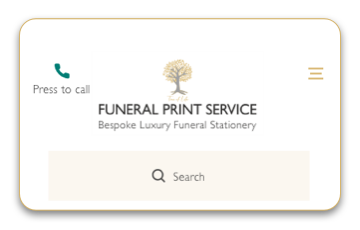
MVP header

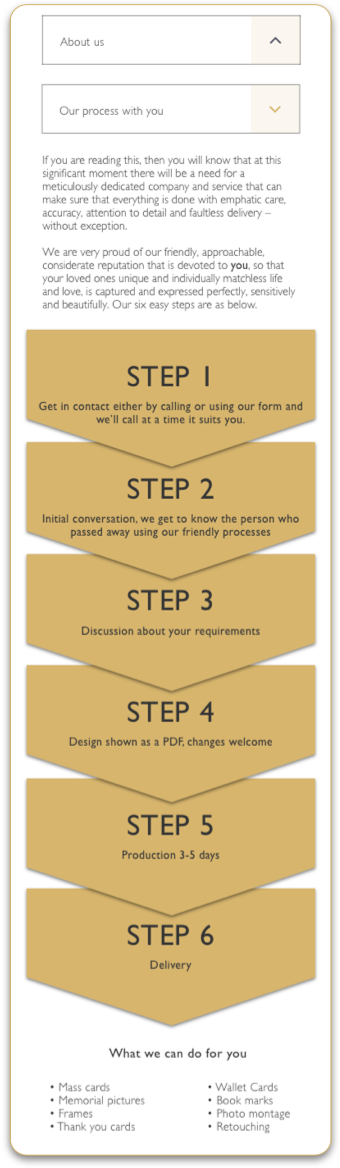
| 5 of 5 wanted sympathy and feel supported through the process and read how FPS would do so, I added a description and arrow type graphics with each step that illustrated the easy processes.

| 4 of 5 felt the ‘faiths we cover’ & Call us buttons were repetitive, they knew to swipe back to the home screen to select a faith or could press the call button on the header.

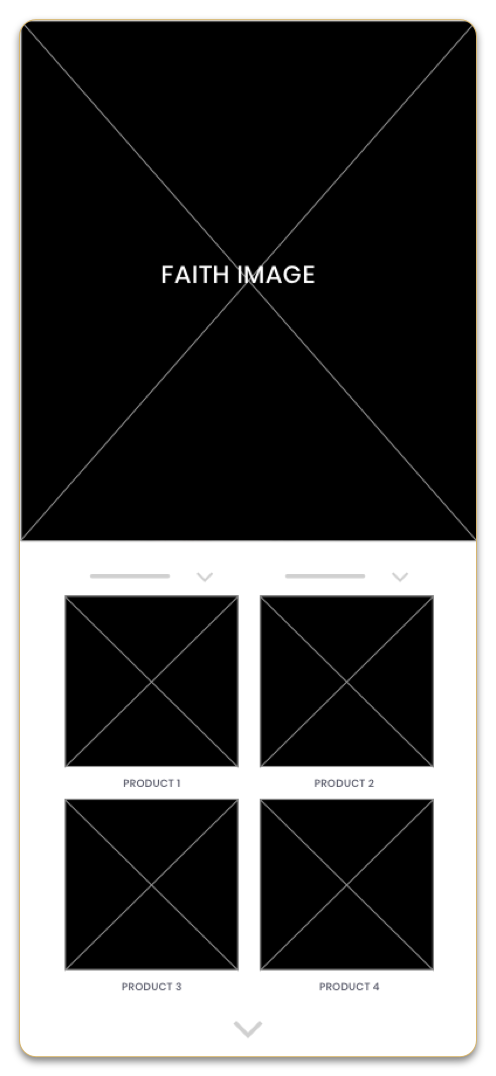
Wireframes & validation: Mid fidelity – MVP (process page)

Mid fidelity

5

MVP

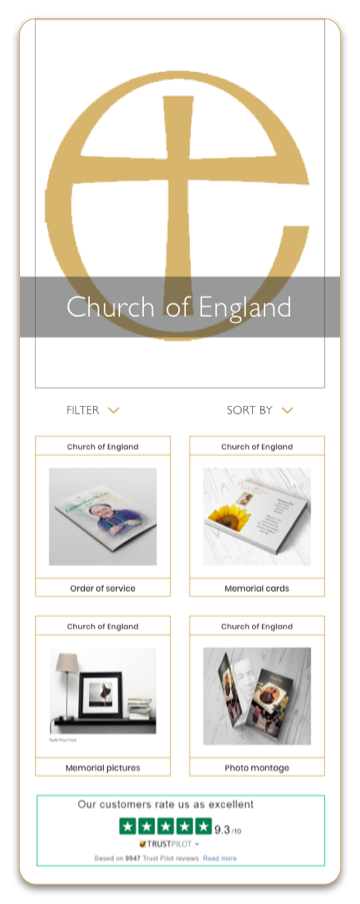
–   Not much changed on the product by faith page as the design was perceived as very intuitive.

| 3 of 5 felt overwhelmed wanting to only view only 4 main products, more could be viewed in the consultation.
| 3 of 5 mentioned they might feel lost if scrolled down and couldn’t see if they were still on the right faith.

I added faith on top of the product card and deleted the arrow showing more products to view.

Wireframes & validation: Mid fidelity – MVP (product page & call back)

Mid fidelity

5

MVP

MVP

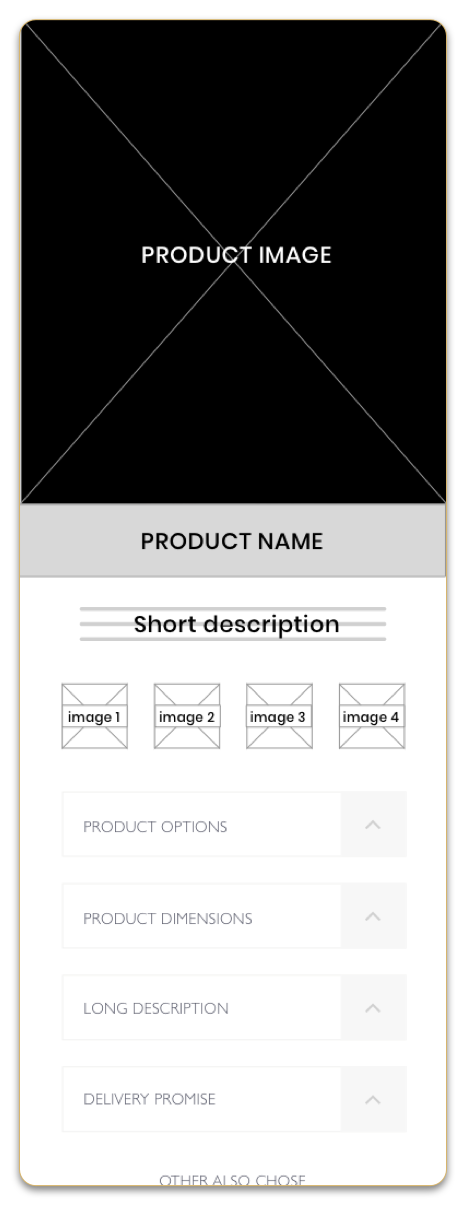
–   As users weren’t purchasing products on this solution, they required empathy and sympathy and a handheld experience with support from the FPS team. During a meeting with stakeholders, we agreed to put the call back feature on the product page as a collective.

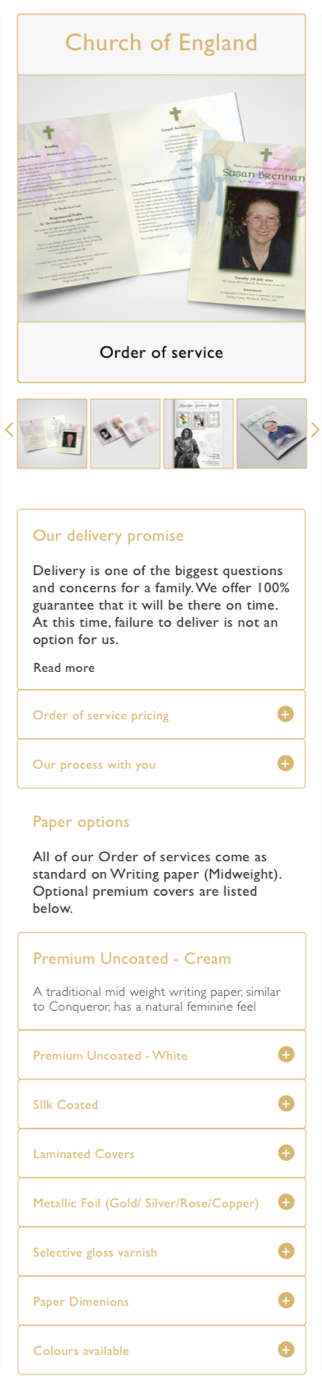
| Mid fidelity – 4 of 5 didn’t need a short and long description, the images would show what this product was and the title was self-explanatory.

| MVP – 3 of 5 felt the callback feature on the product page was a fantastic idea but would’ve liked to see paper options instead.

| MVP – 4 of 5 felt delivery played an important part in the product, funeral timings were strict and this needed to be highlighted.

| MVP iterated – The product page now has essential information and options with ‘delivery promise’ higher up the information hierarchy. Accordion in place for easier access to paper options.

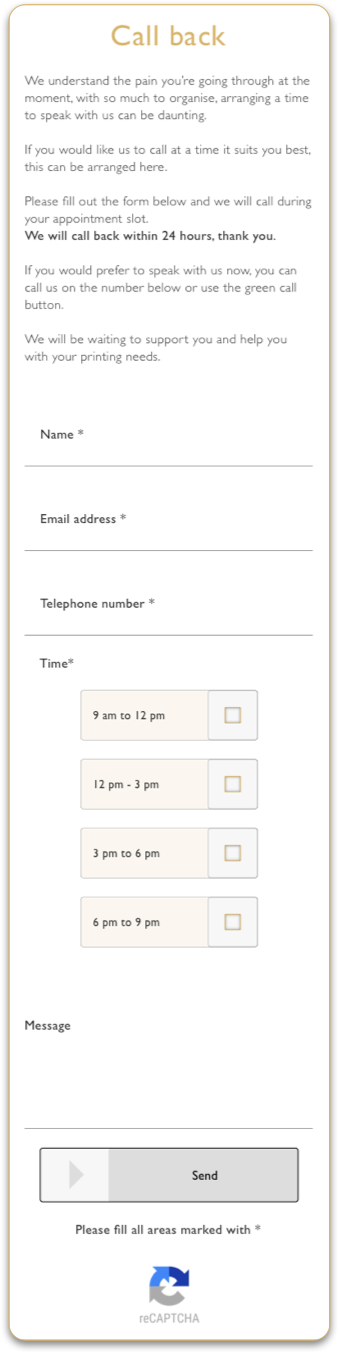
| MVP iterated – The call back feature now has its own page, it’s easy to get to from the product page by pressing on a ‘call to action.’ (Button)

| MVP iterated – The send button in the ‘call back’ feature is inactive until all the necessary fields are all filled in, ensuring the team has all information needed to successfully set up a callback.

MVP launched! – Areas that required improvement – 133 sessions – Google Analytics

32% pressed back for other products of the same faith once on the product page.

13% clicked to see prices tab and sent messages asking about prices (Stakeholders refused to show pricing before speaking to their customers)

20% dropped off at the footer with 2 maps, even though one was the detailed version once in the business park.

14% used the contact page for the ‘call back feature’ missed this on the product page as CTA was further down as a button.

10% pressed the green call button after staying on the about us page, most calls were about who the company was and what they were offering.

11% browsed other faiths on the same session and tried to view other products.

Development Process

I have supported and collaborated with overseas developers in Canada, providing design reviews and milestones, to ensure my experience and product is delivered as designed, on time.

Step 4 Deliver – final version
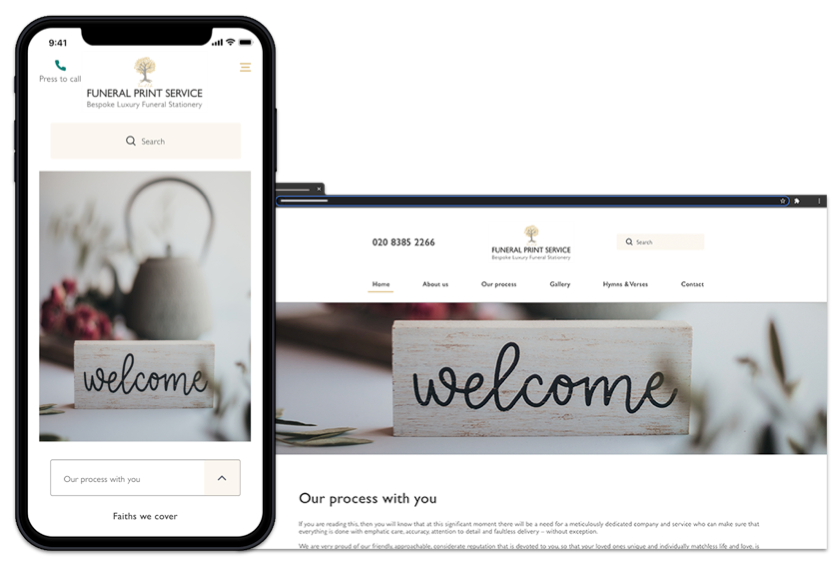
The pre-launched website can be viewed here: www.fps.vikasuxdesigner.com

Walk through coming after launch!

What I learned

•   I learned that the first ideas for the website are only the beginning of the process. Usability studies and stakeholder feedback influenced each iteration of the design.
•   I also learned working in collaboration with members of the team is so important to the success of the project. Performed our own tasks within a specified time frame/ budget and relied on each other’s time-sensitive input.
•   I learned how to collaborate with developers working in the EST time zone, scheduling meetings and calculating the difference between time zones to the success of the project.

Challenges and adapting

I encountered two main challenges whilst conducting the research:
•   Users had a tendency to lose focus and begin conversations about their loved ones. I found it difficult to steer them back to the question.
•   Most hadn’t researched any funeral printing services and relied on the funeral director for giving them the list of suppliers. Getting users to open up and discuss related experiences was difficult as it reminded them of the passed away person.

As a result, the interview process took longer than expected, however, I gained valuable insights into the experiences and opinions of users who were shopping for related or indirect products and services.

What I would do differently next time

I would collaborate with stakeholders and the development team earlier to establish the working time zone so that I could manage my time more effectively, arrange meetings, set working hours and communicate better by recording meetings to listen and refer back to, in case I missed anything at 11 pm GMT zone.

Let’s work together?